Setting the date and time
If the date and time are set, the recorder can add the recording date and time to files.
1.
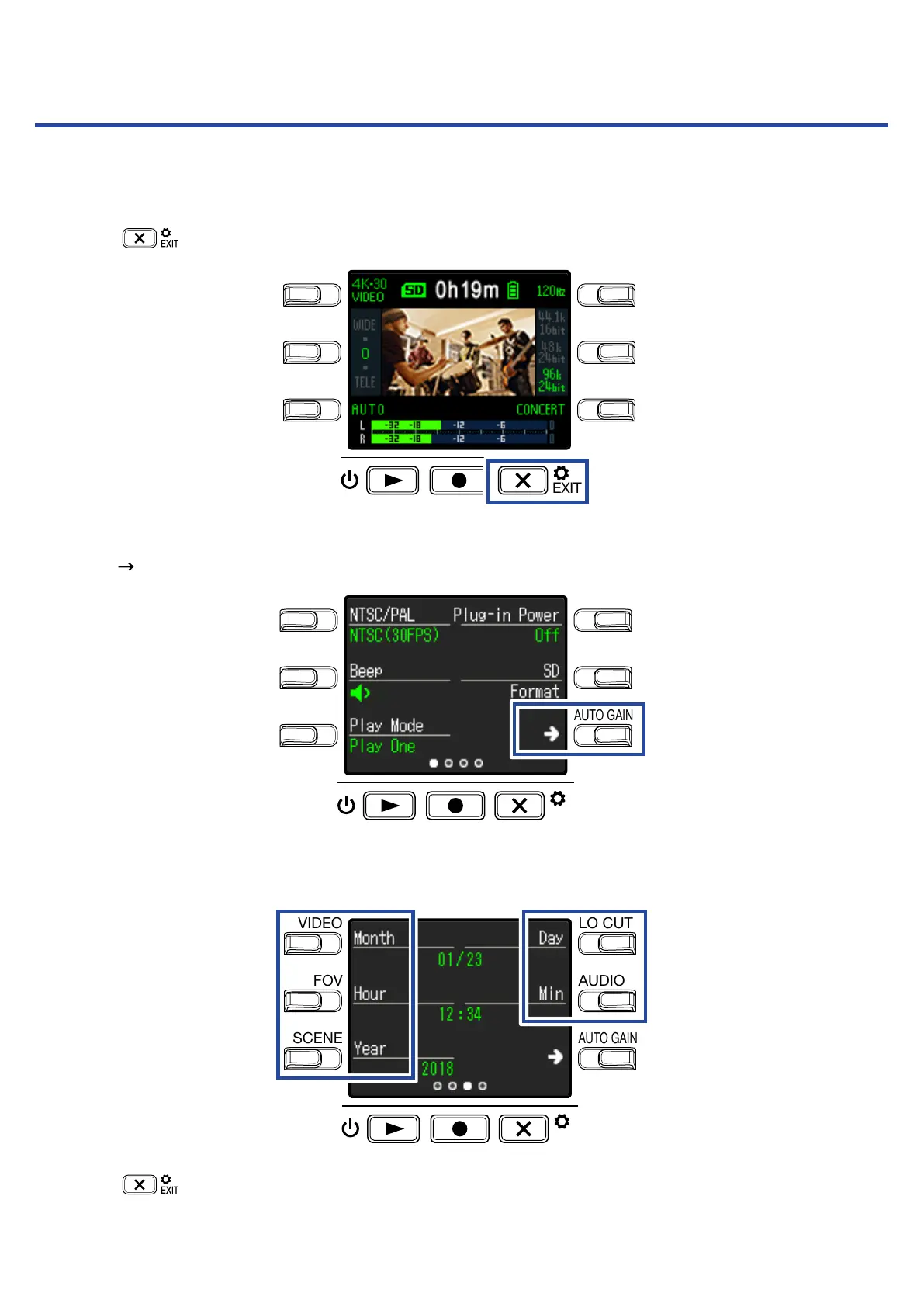
Press on the Recording Screen.
LO CUTVIDEO
AUDIOFOV
AUTO GAIN
SCENE
EXIT
This opens the Setting Screen.
2.
Press two times to change the Setting Screen.
LO CUTVIDEO
AUDIOFOV
AUTO GAIN
SCENE
EXIT
This opens the Date and Time Setting Screen.
3.
Press the button for the item to be set.
LO CUTVIDEO
AUDIOFOV
AUTO GAIN
SCENE
EXIT
4.
Press .
This reopens the Recording Screen.
47



 To Next Page