Formatting microSD cards
To maximize the performance of a microSD card, use the to format it.
1.
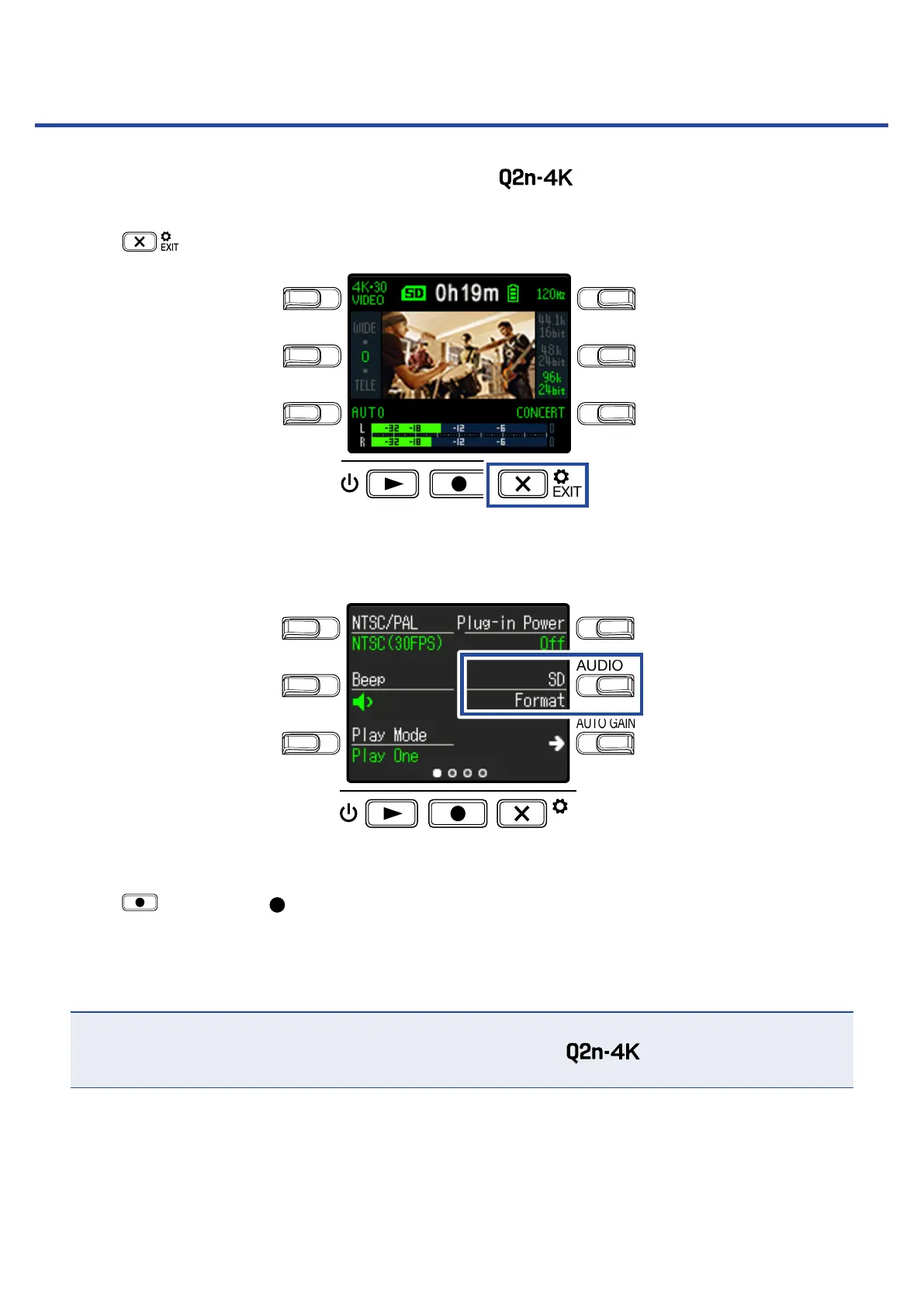
Press on the Recording Screen.
LO CUTVIDEO
AUDIOFOV
AUTO GAIN
SCENE
EXIT
This opens the Setting Screen.
2.
Press SD Format.
LO CUTVIDEO
AUDIOFOV
AUTO GAIN
SCENE
EXIT
This opens a formatting confirmation screen.
3.
Press to select Yes .
This will start microSD card formatting.
“Done" will appear on the display when formatting completes.
NOTE
• After purchasing a new microSD card, always format it using the .
• All data previously saved on the microSD card will be deleted when it is formatted.
53



 To Next Page