Enabling continuous playback
Playback can be set so that after playback of one file completes the next file can be played back without
stopping.
1.
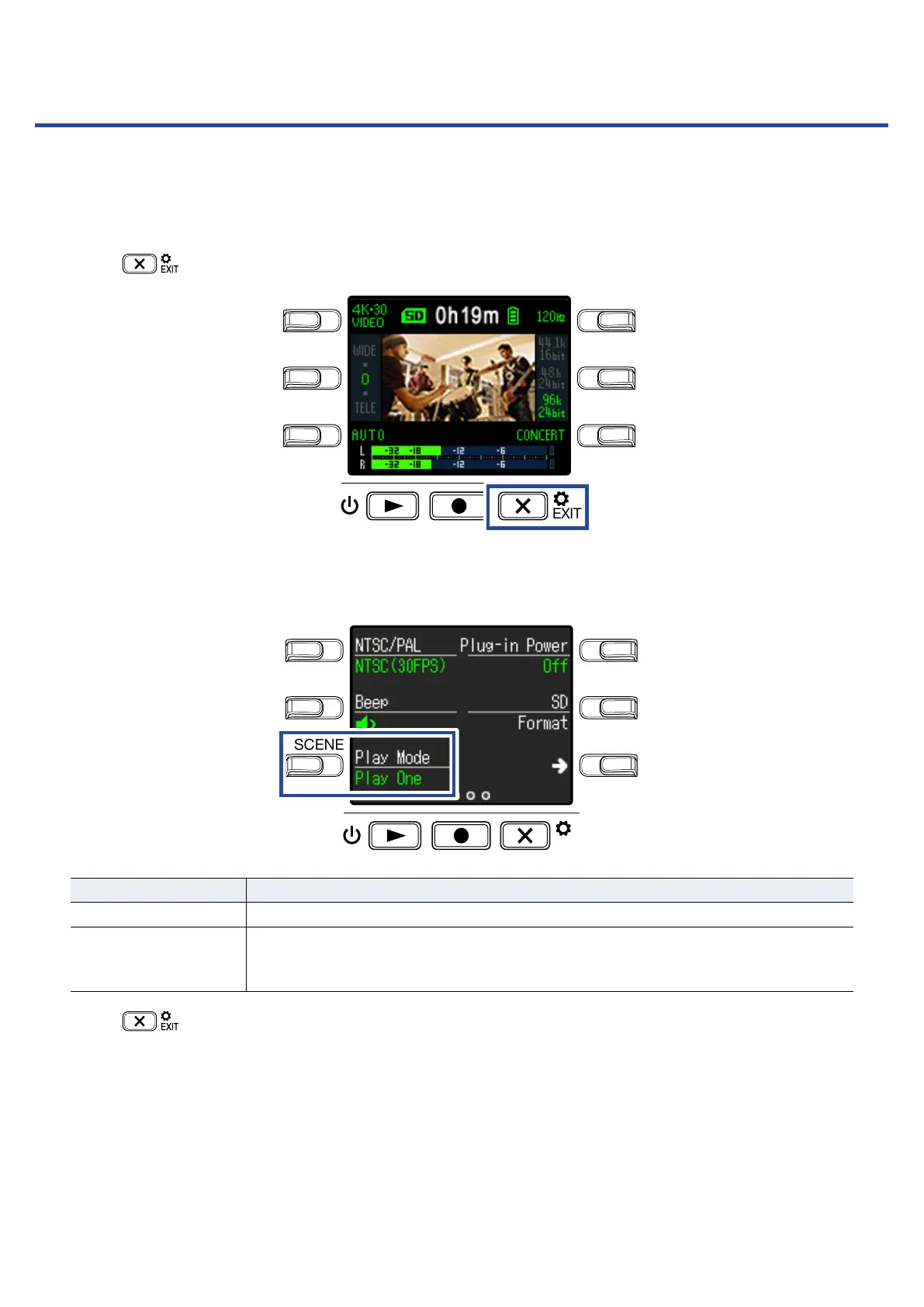
Press on the Recording Screen.
LO CUTVIDEO
AUDIOFOV
AUTO GAIN
SCENE
EXIT
This opens the Setting Screen.
2.
Press Play Mode, and set whether continuous playback is enabled.
LO CUTVIDEO
AUDIOFOV
AUTO GAIN
SCENE
EXIT
Setting Explanation
Play One Playback stops after one file completes playing.
Play All
After one file completes playing, the next file plays back without stopping.
Files will play back in the order of the time they were recorded. Playback will stop
after the most recent file completes playing.
3.
Press .
This reopens the Recording Screen.
49



 To Next Page