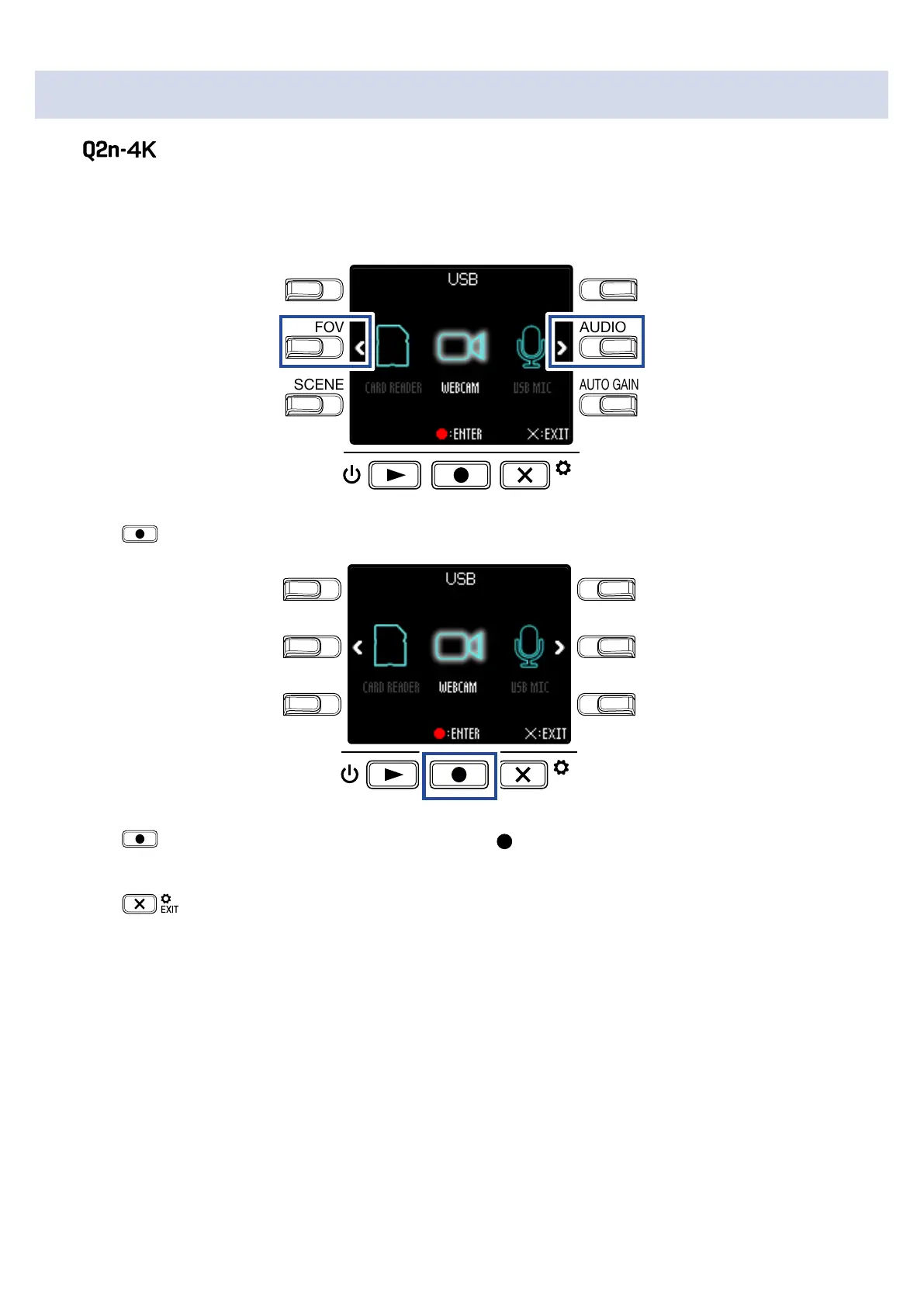
Turning the power on when connected to a computer
If the power is turned on when connected to a computer, the USB function selection screen will
open.
1.
Use < and > to select the function to use.
LO CUTVIDEO
AUDIOFOV
AUTO GAIN
SCENE
EXIT
2.
Press to confirm.
LO CUTVIDEO
AUDIOFOV
AUTO GAIN
SCENE
EXIT
3.
Press on the Confirmation Screen to select Yes .
This activates the selected mode.
Press
to open the Recording Screen.
37



 To Next Page