Updating the firmware
The firmware can be updated to the latest versions.
1.
Install new batteries in the or connect an AC adapter.
NOTE
Executing a firmware update is not possible if the remaining battery power is low.
2.
Copy the firmware update file to the root directory on a microSD card.
The latest firmware update file can be downloaded from www.zoom.co.jp.
3.
Insert the microSD card into the microSD card slot.
4.
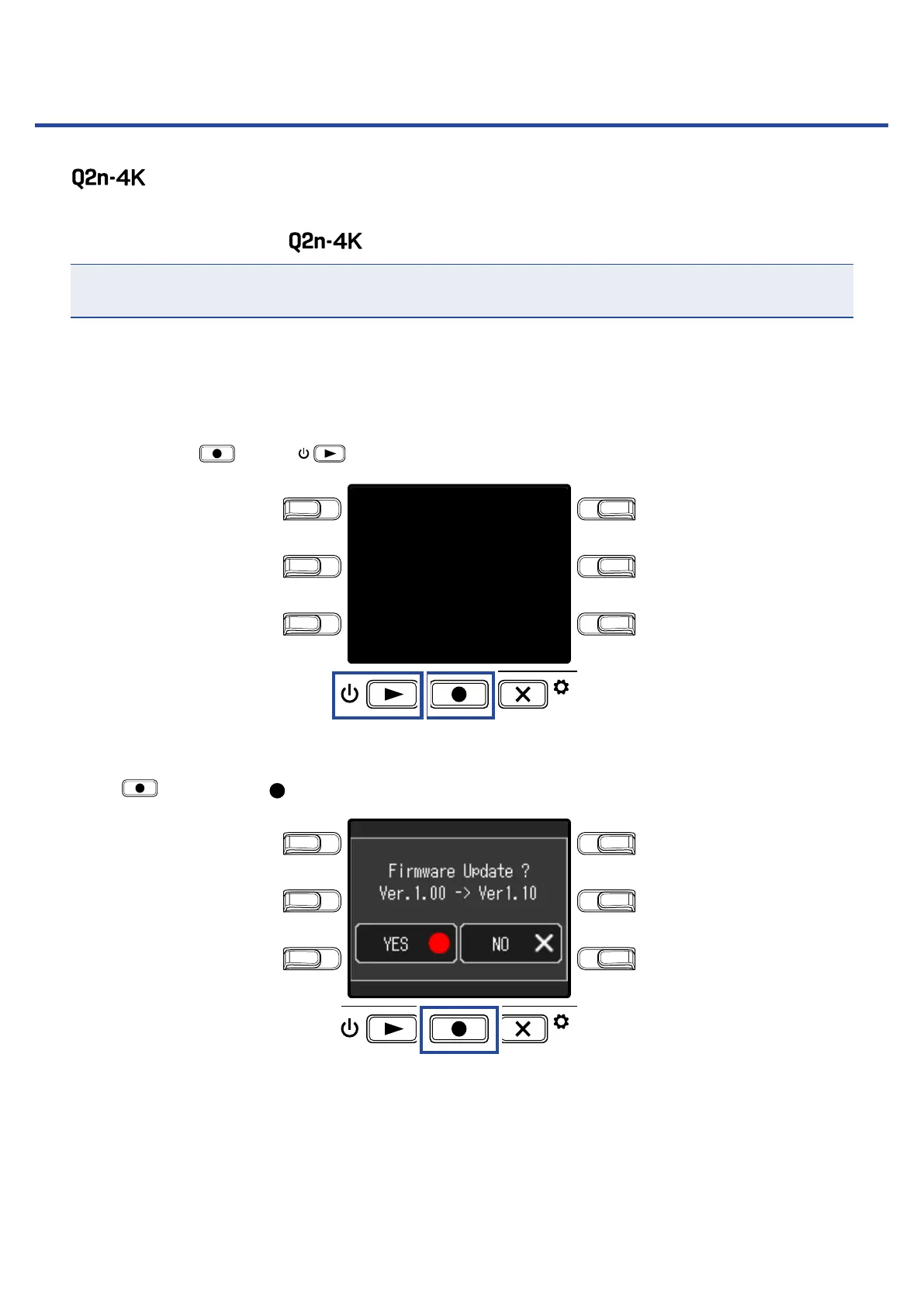
While pressing , press to turn the power on.
LO CUTVIDEO
AUDIOFOV
AUTO GAIN
SCENE
EXIT
This opens an update confirmation screen.
5.
Press to select Yes .
LO CUTVIDEO
AUDIOFOV
AUTO GAIN
SCENE
EXIT
This opens a final confirmation screen.
56



 To Next Page