Restoring factory default settings
You can restore all settings to their factory defaults.
1.
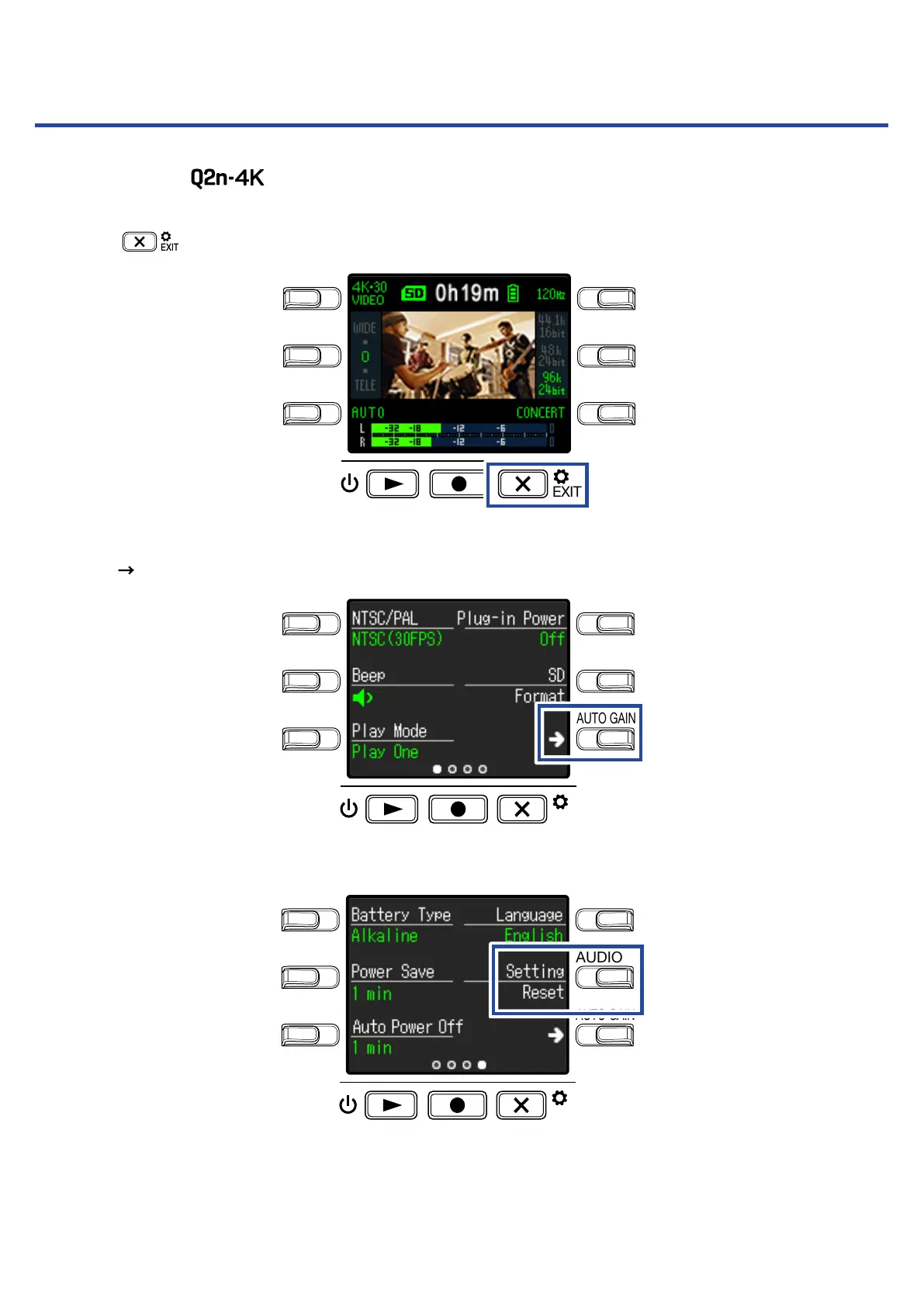
Press on the Recording Screen.
LO CUTVIDEO
AUDIOFOV
AUTO GAIN
SCENE
EXIT
This opens the Setting Screen.
2.
Press three times to change the Setting Screen.
LO CUTVIDEO
AUDIOFOV
AUTO GAIN
SCENE
EXIT
3.
Press Setting Reset.
LO CUTVIDEO
AUDIOFOV
AUTO GAIN
SCENE
EXIT
This opens a reset confirmation screen.
54



 To Next Page