3.
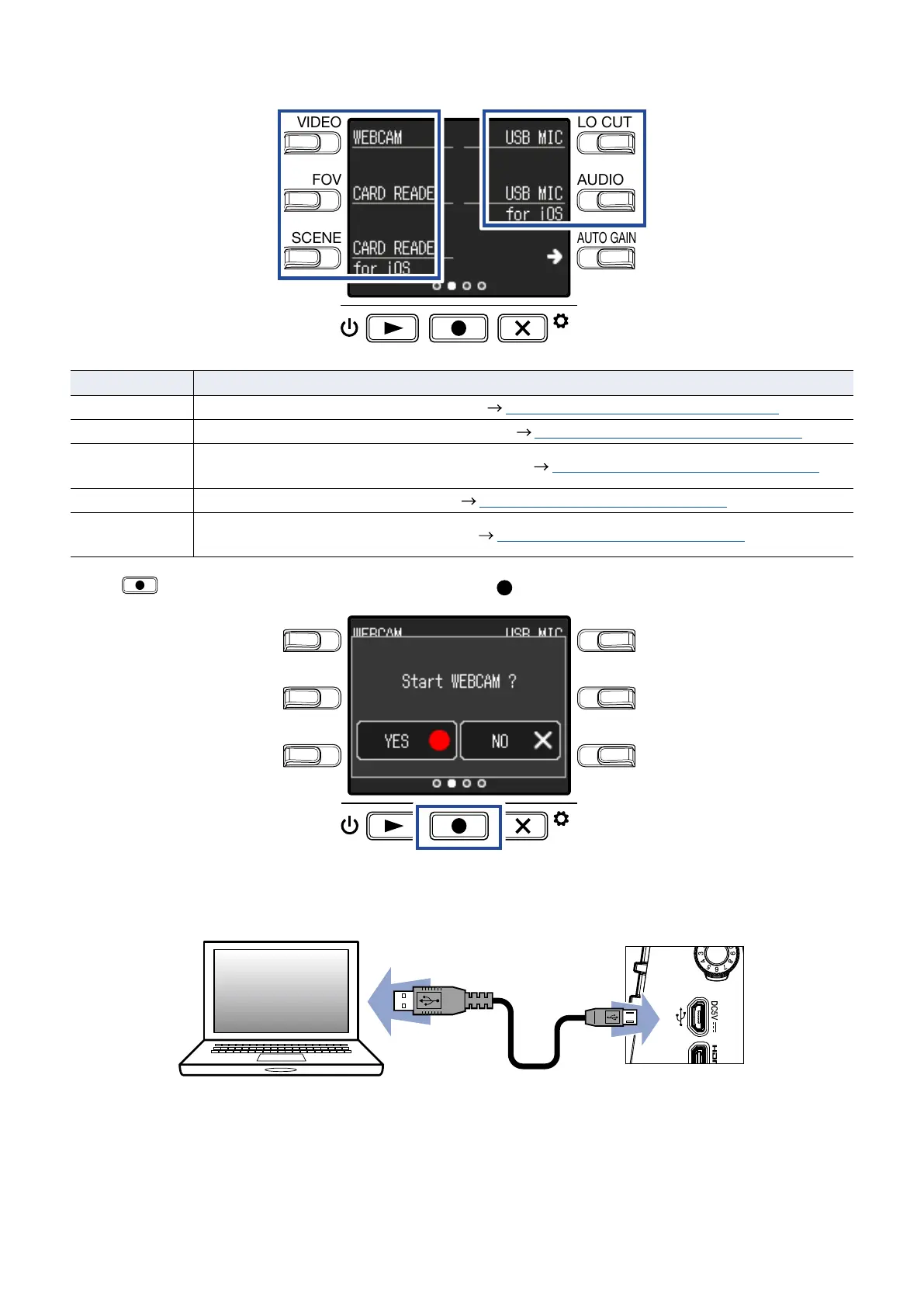
Press the button for the function to be used.
LO CUTVIDEO
AUDIOFOV
AUTO GAIN
SCENE
EXIT
Function Explanation
WEB Camera
Use as a web camera with a computer ( “Using as a web camera” on page 38)
Card Reader
Use as an SD card reader with a computer ( “Using as a card reader” on page 39)
Card reader
for iOS
Use as an SD card reader with an iOS device ( “Using as a card reader” on page 39)
USB Mic
Use as a USB mic with a computer ( “Using as a USB mic” on page 40)
USB Mic
for iOS
Use as a USB mic with an iOS device ( “Using as a USB mic” on page 40)
4.
Press on the Confirmation Screen to select Yes .
LO CUTVIDEO
AUDIOFOV
AUTO GAIN
SCENE
EXIT
This activates the selected function.
5.
Use a USB cable to connect a computer or iOS device.
35



 To Next Page