Display overview
9
Display overview (continued)
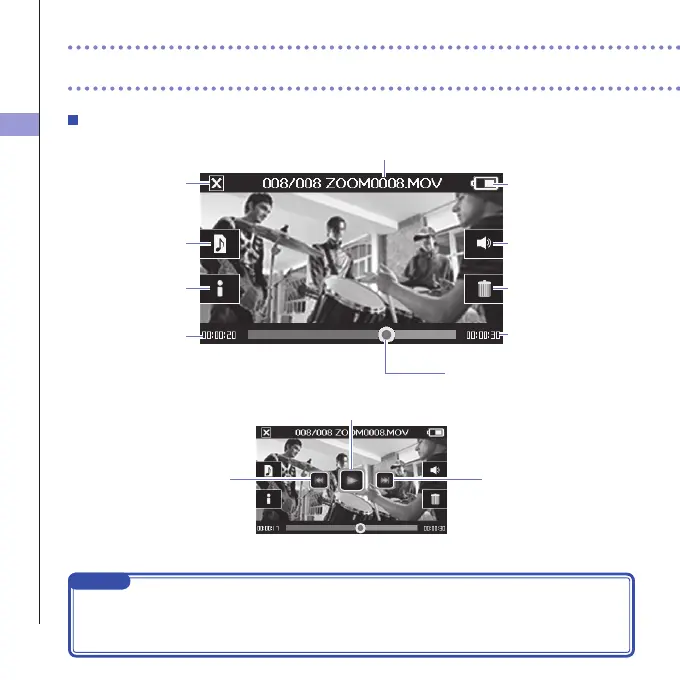
Playback screen
Playback position bar
Shows video playback positionTouch to change
the playback position
File name
Name of video file playing
Remaining battery
charge
Output volume
Adjust volume of headphones/
built-in speaker
When paused
Delete
Delete the video currently
playing
Video length
Audio switch
Select the audio played
(only appears for files recorded
using MOV+WAV or
MULTI AUDIO)
Main Screen
Return to Main Screen
Information
Show information about the
video currently playing
Timecode
Shows elapsed playback time
Play/Pause
Skiptobeginningor
previousvideo
Next video
NOTE
• Aftersometimepasseswithoutoperation,onlythevideoimagewillbeshown.Touchthescreen
to show the buttons again.
• Levelmeterscanbeshownontheplaybackscreen.(See"Systemsettings"onpage44.)



 To Next Page