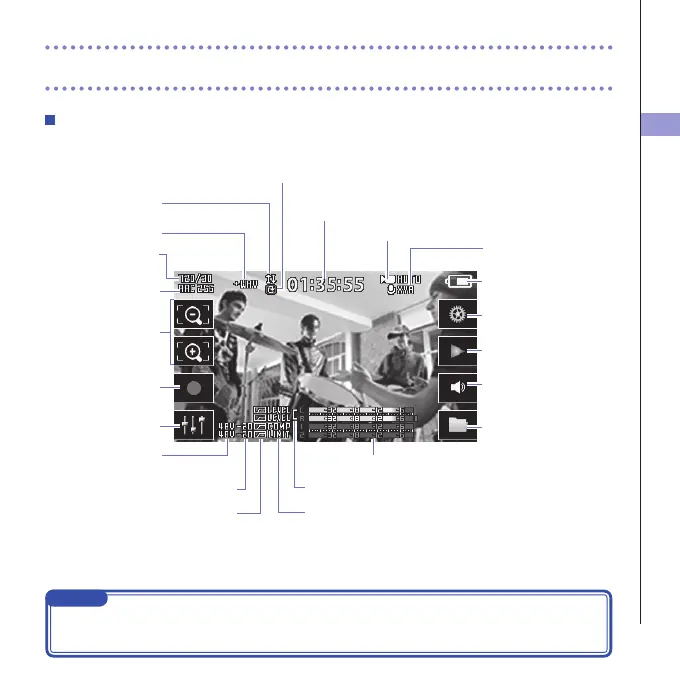
Level meters
PAD setting
Phantom power
setting
LO CUT setting DYNAMICS settings
Stereo link setting
Timecode
When recording: shows recording time
When paused: shows available recording time
Recording mode
Remaining battery
charge
Connected mic
Type of connected mic capsule
Camera SCENE setting
Open Menu Screen
Output volume
Adjust volume of headphones/
built-in speaker
Open Playback Screen
Open FILE list
Record/stop
Audio quality setting
Video resolution
setting
Open Mixer Screen
Zoom in/out
Upsidedown
Image inversion
LCDLock
Shows locked screen orientation



 To Next Page