Connecting mics to Inputs 1 and 2
7
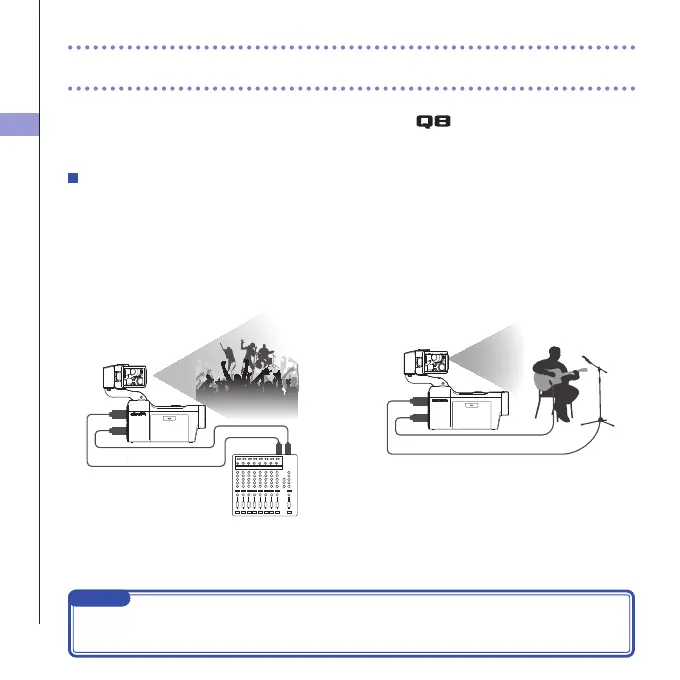
You can connect mics, mixers and other devices to the Inputs 1 and 2. The L/R input
from the XY mic and Inputs 1/2 can be used together to record up to 4 tracks at the same
time.
Connection examples
Recording audio is possible in the following kinds of situations.
Concert video recording
•L/Rinputmic:Performanceonstage
•Inputs1/2:Lineoutputsfrommixer
PA mixer
Input 2
Input 1
L/R inputs
Guitar performance video recording
• L/R input mic:Off-mic recordingof vocaland
guitar
•Input1:Vocalmic
•Input2:Guitarmic(direct)
Vocal mic
Guitar mic
Input 2
Input 1
L/R inputs
Connecting mics to Inputs 1 and 2
NOTE
ConnectdynamicandcondensermicswithXLRplugstoInputs1and2.Phantompower
(+12V/+24V/+48V)canbesuppliedtocondensermics.(→P.36)



 To Next Page