Camera settings
27
Camera settings
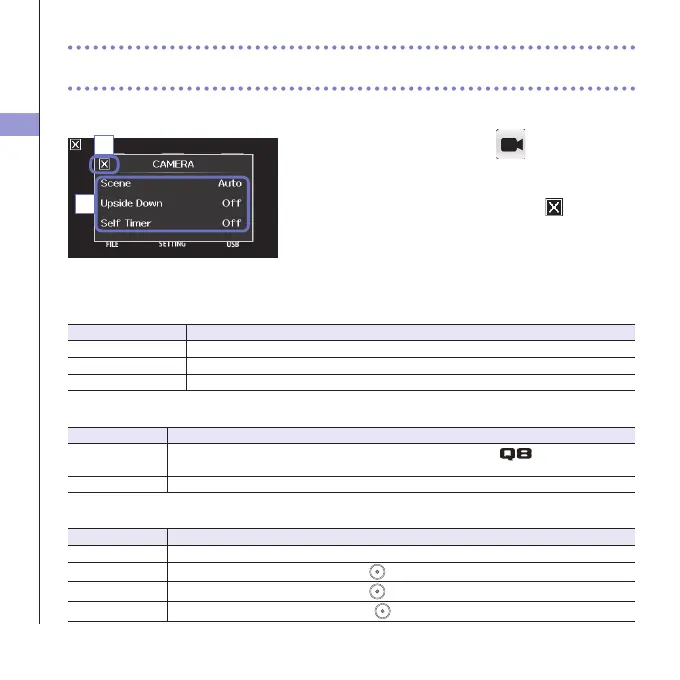
You can change the camera settings to suit the video recording conditions.
1. On the menu screen, touch .
2. In the sub menu, touch the setting value.
3. After completing the setting, touch to close the
submenu.
CAMERA
Scene:Setthecameraforthelightingconditionswhenvideorecording
Setting Explanation
Auto Adjusttolightingconditionsautomatically.
Concert Lighting Bestsettingforliveshows,concertsandothersituationswithbrightlights.
Night Best setting for night and other dark situations.
UpsideDown:Reverseverticalorientationwhenrecording
Setting Explanation
On
Videowillbe savedwiththeimagerotated 180°.Usewhenthe
is recording upside
down,forexample.
Off Videoisnotrotated.
SelfTimer:Setsselftimer(canonlybeusedwhentheLCDisrotated)
Setting Explanation
Off Do not use the self timer.
3 sec
Start recording 3 seconds after pressing
.
5sec
Startrecording5secondsafterpressing
.
10sec
Startrecording10secondsafterpressing
.
3
2



 To Next Page