Deleting recordings
31
Deleting recordings
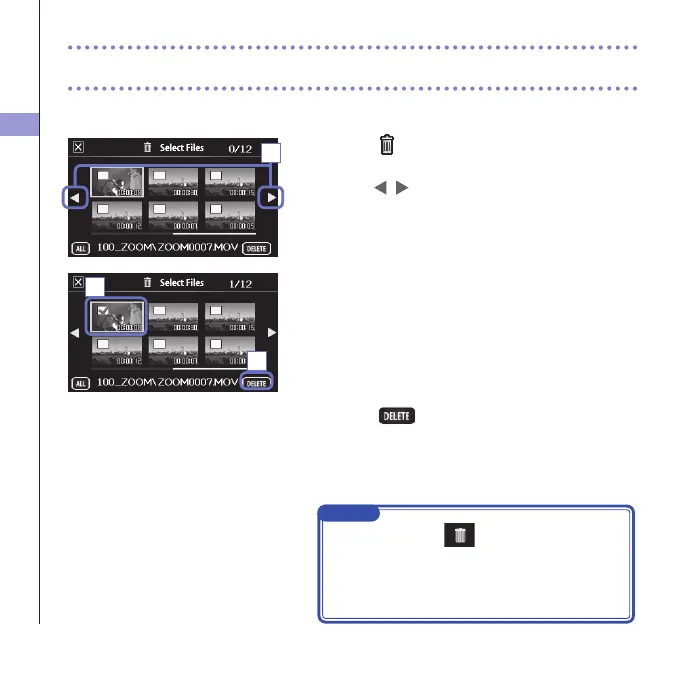
You can delete videos to increase the open space on the media.
1. Touch on the FILE list screen.
Alistofvideosappears.
Touch
to change the screen.
2. Touch a video to select it for deletion.
Acheckmarkappearsontheselectedvideo.
Youcanrepeat step 2toaddcheckmarks tomultiple
videos.
3. Touch .
4. On the confirmation screen, touch "Yes".
Theselectedvideoswillbedeleted.
1
2
3
NOTE
• Youcanalsotouch
on a video playback screen
to delete that video.
• WithvideorecordedinMOV+WAVorMULTIAUDIO
mode,related audio leswillalsobedeleted atthe
same time.



 To Next Page