Setting the date and time
13
Setting the date and time
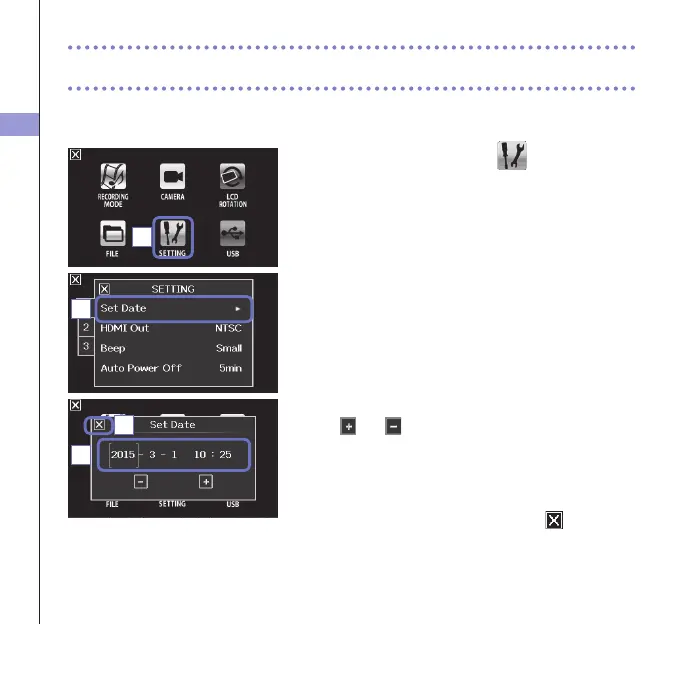
If the date and time are set, the recorder can add the recording date and time to files.
1. On the menu screen, touch
.
2. In the sub menu, touch "Set Date".
3. Touch an item to be changed to select it, and touch
and to set the current date and time.
4. After completing the setting, touch to close the
submenu.
1
2
3
4



 To Next Page