Playing recordings
28
Playing recordings
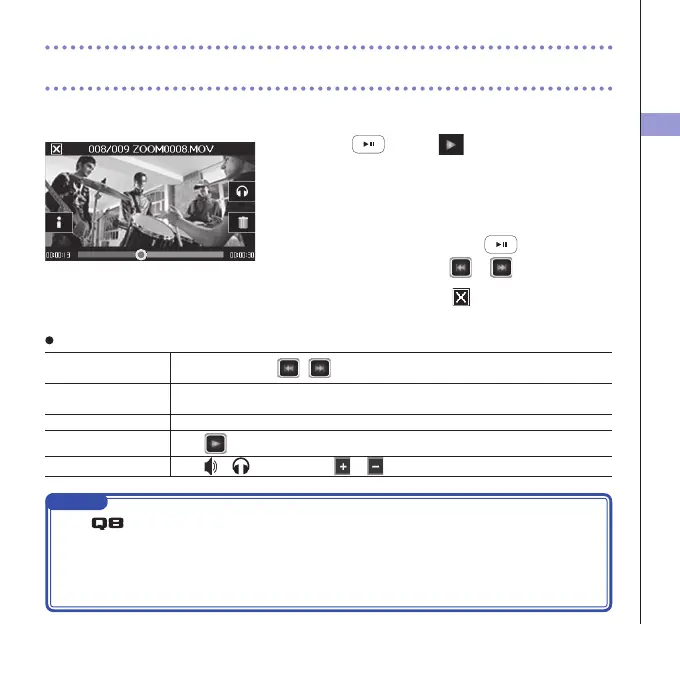
This unit can play recorded videos.
1. Press or touch on the Main Screen.
Thisstartsplaybackofthelastrecordedvideo.
Afterthere are no operationsfor sometime, onlythe
videoimage willbeshown.Touchthe screen toshow
the buttons again.
2. To play a different file, press or touch the
screen, and then touch
or .
3. To stop playback, touch .
TheMainScreenwillreappear.
Other operations
Playprevious/next
recording
Whenpaused,press
/ .
Jump Duringplayback,touchthebaronscreenanddragtothepositionyouwant.(see
page29.)
Pause Touchthescreenduringplayback.
Endpause Touch
when paused.
Adjustthevolume
Touch
or
,andthentouch or in the submenu.
NOTE
• The
can only play videos that it recorded.
• ByconnectinganHDMIcable (soldseparately) tothe HDMIOUT, videocanbeoutput toan
externaldevice.(See"HDMIoutput"onpage40.)
• UseQuickTimetoplayrecordedvideos onacomputer.QuickTimecan bedownloadedfromthe
AppleInc.website.



 To Next Page