Playing recordings
29
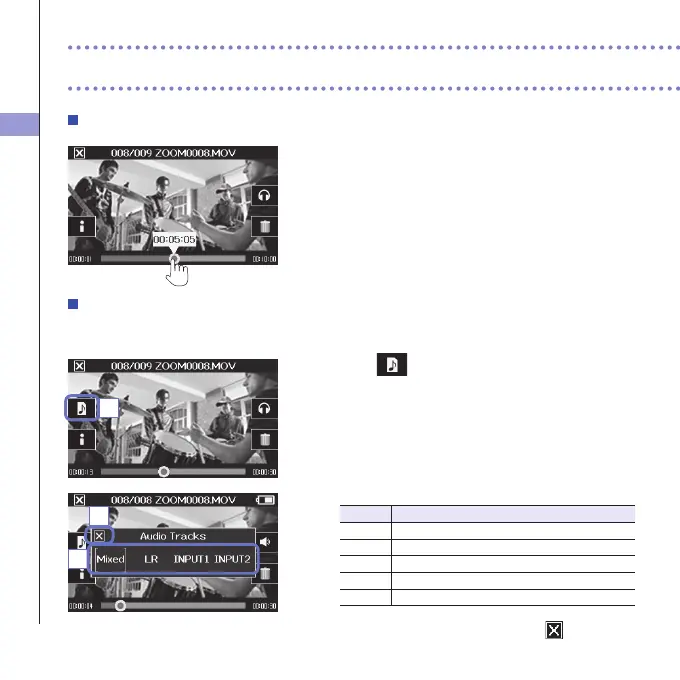
Changing the playback position
1. Touch the playback position bar and slide it to the
position you want.
Remove your finger from the screen to start playback
from that position.
Selecting the audio played
WithvideorecordedinMOV+WAVorMULTIAUDIOmode,youcanselecttheaudioforplayback.
1. Touch on the playback screen.
2. In the sub menu, touch the audio file to play.
Setting Main applications
Mixed Playthemixedaudio.
LR PlaytheL/Rinputaudio.
INPUT12 Playtheaudiofromstereo-linkedInputs1/2.
INPUT1 PlaytheInput1audio.
INPUT2 PlaytheInput2audio.
3. After completing the setting, touch to close the
submenu.
Playing recordings (continued)
1
2
3



 To Next Page