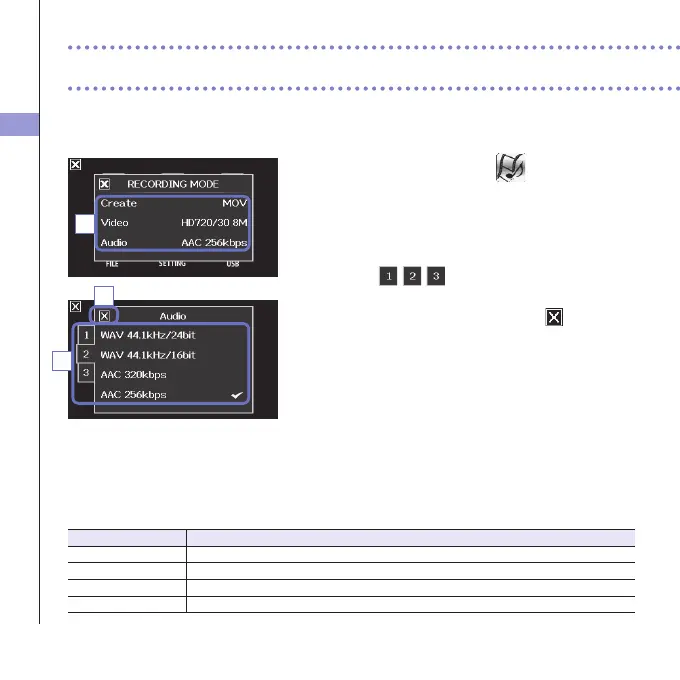
Recording mode settings
25
You can change the type of files created, video recording resolution and frame rate, and audio
quality, for example. Increasing the video resolution decreases the possible recording time.
1. On the menu screen, touch .
2. In the sub menu, touch the item that you want to
set.
3. In the sub menu, touch the setting value.
Touch
to show hiddenVideo orAudio
items.
4. After completing the setting, touch to close the
submenu.
RECORDING MODE
Create:Typeoflescreated.(see"Recordingmodeoverview"onpage15.)
Setting Explanation
MOV RecordMOVlescontainingbothvideoandaudio.
MOV+WAV WAVlesaresavedseparatelyforeachtrackinadditiontoMOVles.
STEREOAUDIO OnlyaudioissavedasWAVles.
MULTIAUDIO Four-channelaudioissavedasmultipleWAVles.
2
Recording mode settings
4
3



 To Next Page