LCD Rotation and FILE list
43
LCD Rotation and FILE list
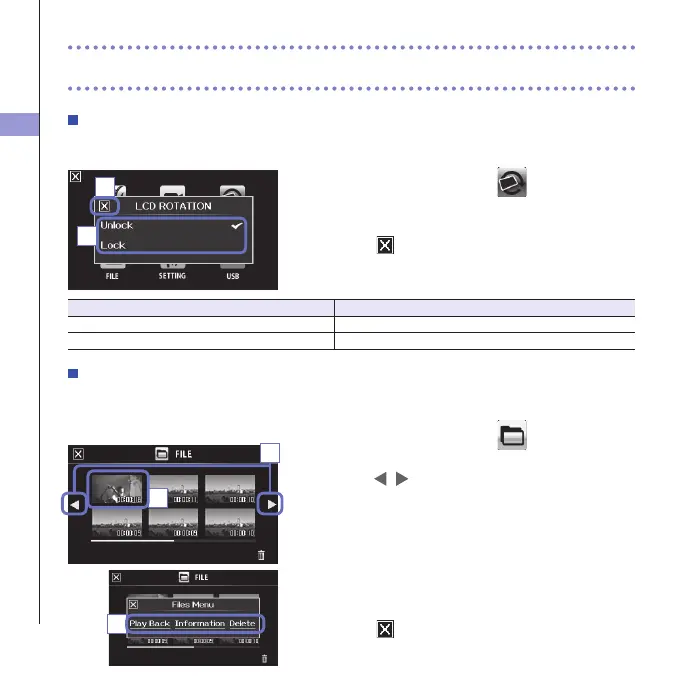
LCD ROTATION
YoucanlocktherotationoftheLCDscreen.
1. On the menu screen, touch .
2. In the sub menu, touch the setting value.
3. Touch to return to the menu screen.
Thiswillclosethesubmenu.
Setting Explanation
Unlock ThescreenrotatestomatchtheLCDorientation.
Lock Thescreenkeepsthecurrentstate.
FILE list
Onthisscreen,youcanviewvideolessavedontheSDcardasthumbnailsandplaythemback.
1. On the menu screen, touch
.
ThisopenstheFILElistscreen.
Touch
to change the screen.
2. Touch a thumbnail.
3. In the sub menu, touch the setting value.
Touch"PlayBack"tostartplayback.
Touch"Information"toviewleinformation.
Touch"Delete"todeletethele.
4. Touch to return to the menu screen.
3
1
2
2
3



 To Next Page