USB connections
42
Using as a web camera (computer)
NOTE
Touseasawebcamera,anaudiodrivermustbedownloadedfromtheZOOMwebsite(www.zoom.
co.jp)andinstalled.
1. Connect the to a computer using a USB
cable, and touch
on the menu screen.
ThisopenstheUSBmenu.
2. Touch (WebCam).
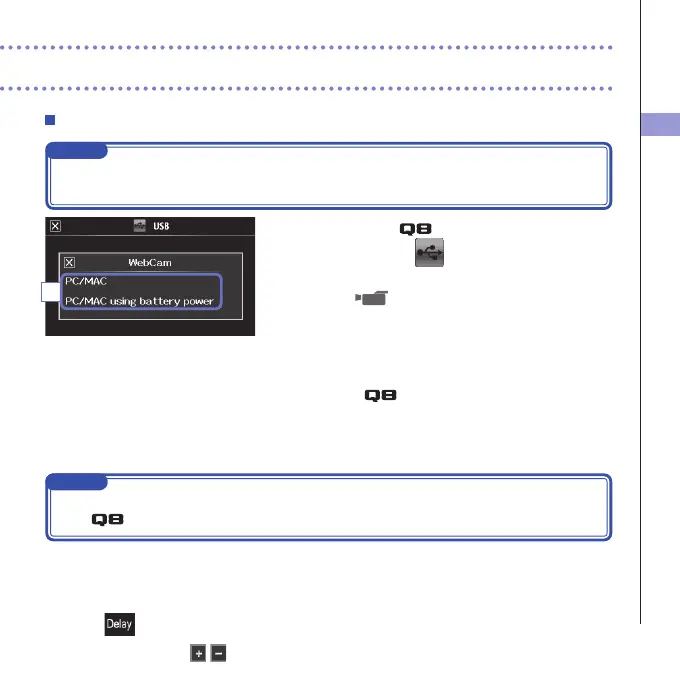
3. In the sub menu, touch "PC/MAC" or "PC/MAC using
battery power".
4. On the confirmation screen, touch "WebCam".
5.
Use the as a web camera for computer
streaming and other applications.
6. To end use, touch "EXIT" on the menu screen, and
disconnect the USB cable.
NOTE
•
TherecordercansimultaneouslytransmituptoHD720pvideoand48kHz/16-bitPCMaudiotoacomputer.
• The cannot output computer playback signals.
Delay setting
Whenusing therecorderas awebcameraifthe streamingapplicationdoes nothavealip
synchronizationfunction,youcansetanaudiodelaytimesothatitmatchesthetimingofthevideo.
1. Touch on the screen.
2. In the sub menu, use
to adjust the audio delay time.
3



 To Next Page