Formatting SD cards
14
Formatting SD cards
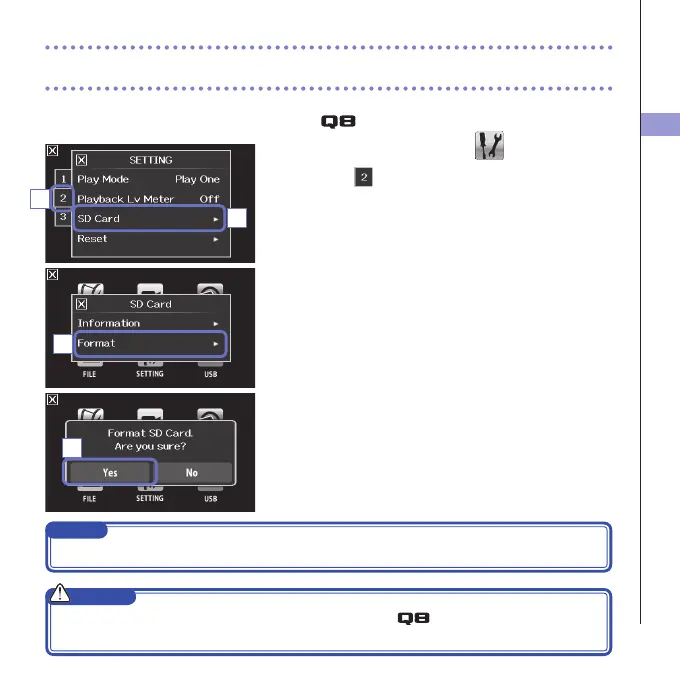
You should format SD cards for use with the .
1. On the menu screen, touch
.
2. Touch .
3. In the sub menu, touch "SD Card".
4. In the sub menu, touch "Format".
5. On the confirmation screen, touch "Yes".
ThiswillstartSDcardformatting.Select"No"toreturn
totheSETTINGmenu.
Afterformattingcompletes,"Done"willappearandthe
SETTINGmenuwillreopen.
NOTE
IftheSDcard’swrite-protectionswitchisON,itcannotbeformatted.
CAUTION
• AfterpurchasinganewSDcard,alwaysformatitusingthe tomaximizeperformance.
• AlldatapreviouslysavedontheSDcardwillbedeletedwhenitisformatted.
4
5
3
2



 To Next Page