Charging the battery
11
Charging the battery
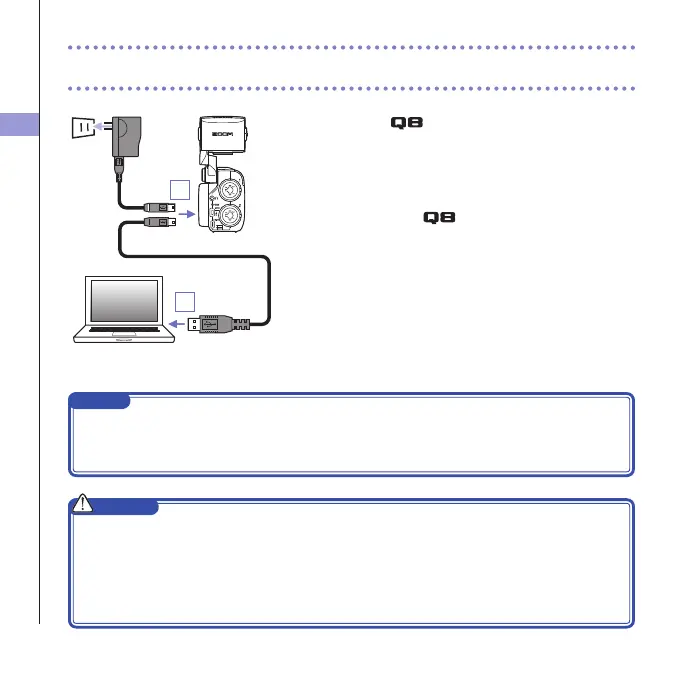
1. Turn the off.
2. Connect a USB power source (running computer or
ZOOM AD-17 AC adapter (sold separately)).
Whilethe batteryisrecharging,theCharging LEDon
the back of the will stay lit.
3. After charging completes, disconnect the cable from
the USB power source.
Afterrecharginghascompleted,theChargingLEDwill
become unlit.
NOTE
Recharging thebatterycompletely(100%) takesabout4 hours30minutes whenconnectedto a
computerandabout2hours 45 minuteswhenusinganACadapter. (Theamountoftime required
willvarydependingontheconditions.)
CAUTION
• Thebatterywillnotchargewhiletherecorderison.
• Thesurroundingtemperatureshouldbebetween5°Cand35°C(41°Fand95°F)whencharging.
Atothertemperatures,thebatterycouldbecomehot,damagedorweakened.
• Donotleavethecableconnectedforalongtimeafterchargingcompletes.
• Youmustalsofollowthehandlinginstructionsin"Warningsandrequestsregardingsafebattery
use"onpage50.
2
2



 To Next Page