Management and Diagnostic Console
107
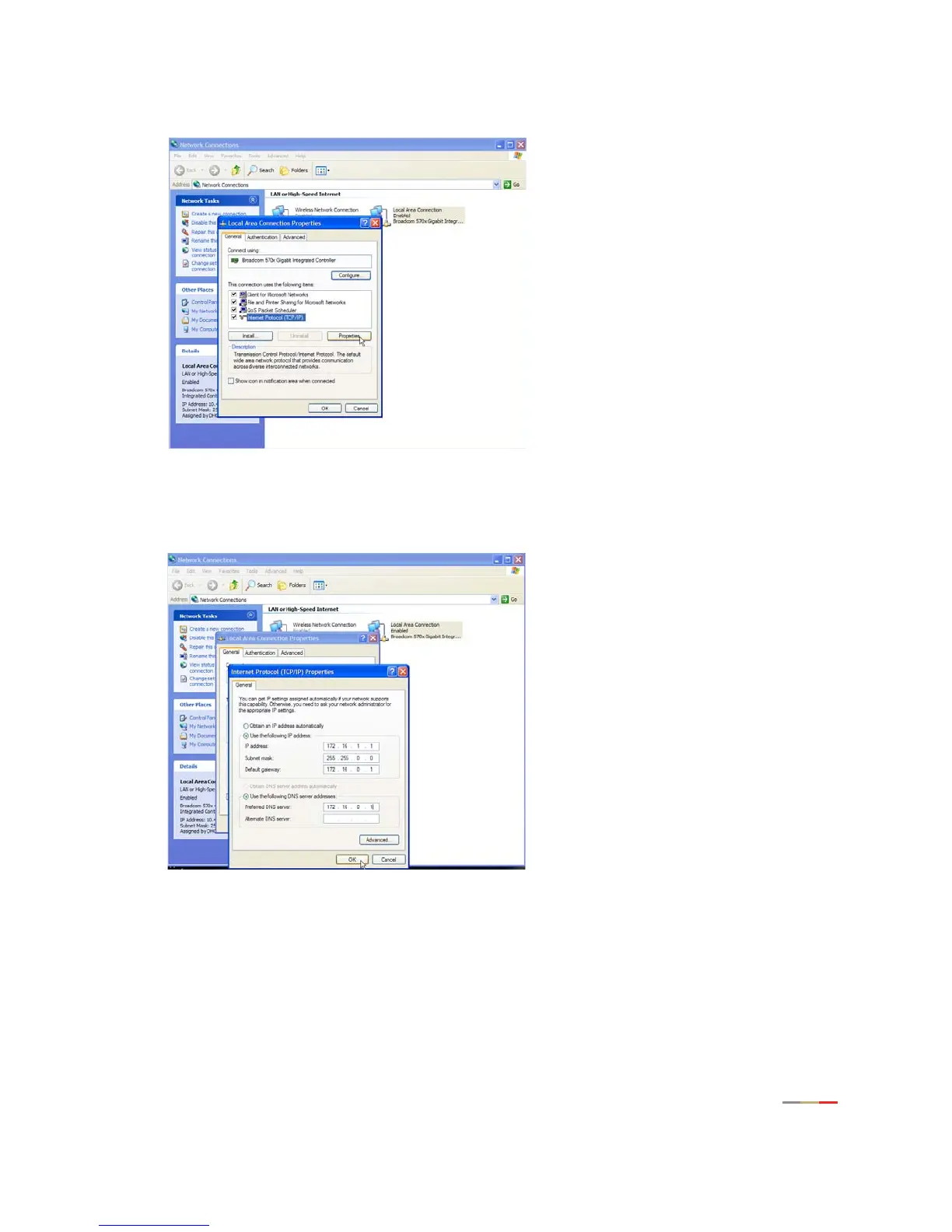
c. Click Internet Protocol (TCP/IP), then click the Properties button.
d. In the General tab, click the
Use the following IP address radio button.
In the IP address field, enter an IP address between 172.16.1.1 to 172.16.1.32. In the Subnet
mask field, enter 255.255.0.0. In the Default gateway and Preferred DNS server fields, enter
172.16.0.1.
e. Click
OK.
f. If required, reboot the system for the changes to take effect.
2. Attach the computer to the Local Network port of the 2Wire gateway.
3. In the Web browser address bar, enter 172.16.0.1/management.
4. Click Configure Services.



 To Next Page