Setting Up A RADIUS Server 631
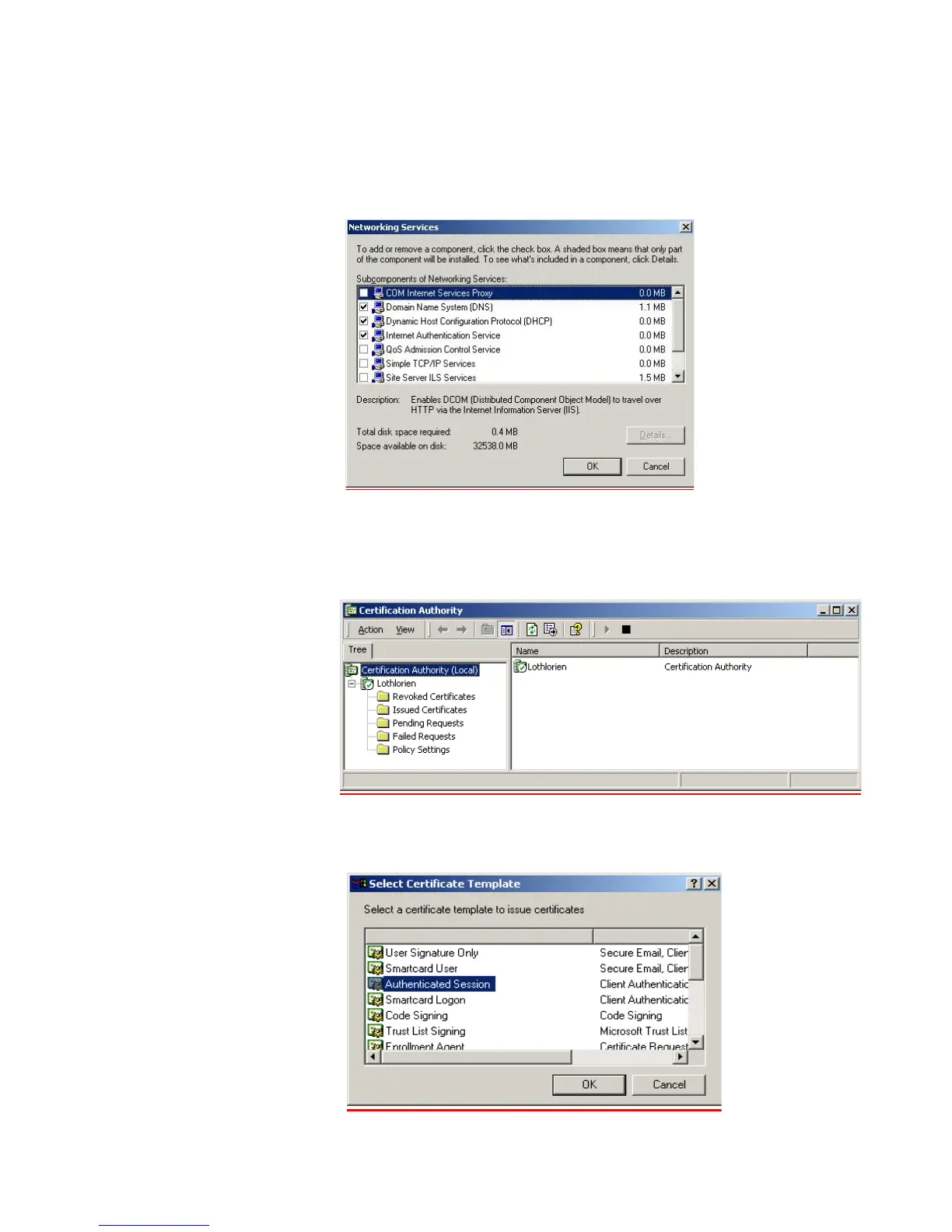
4 Install the Internet Authentication Service (IAS) program.
a Go to Control Panel > Add/Remove Programs > Add/Remove Windows
Components. Enable Networking Services and ensure Internet Authentication
Service component is checked.
b Select OK to end the wizard.
5 Configure a Certificate Authority
a Go to Programs > Administrative Tools > Certification Authority
and right-click
Policy Settings under your Certificate Authority server.
b Select New > Certificate to Issue
c Select Authenticated Session and select OK.















 To Next Page