632 CHAPTER B: RADIUS SERVER AND RADIUS CLIENT SETUP
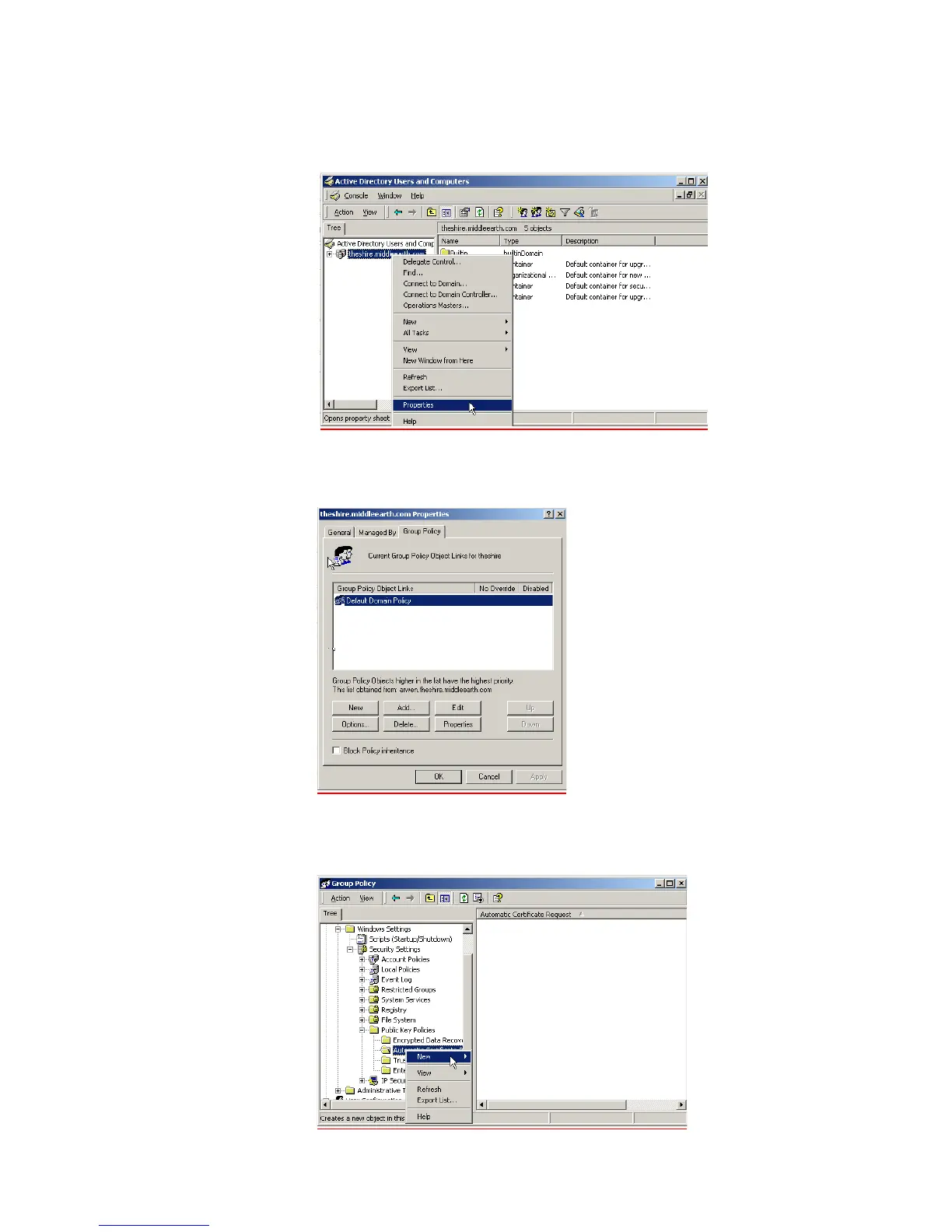
d Go to Programs > Administrative Tools > Active Directory Users and Computers
and right-click your active directory domain. Select Properties
e Select the Group Policy tab, and ensure that the Default Domain Policy is
highlighted. Click Edit to launch the Group Policy editor.
f Go to Computer Configuration > Windows Settings > Security Settings > Public
Key Policies, and right-click
Automatic Certificate Request Settings. Select New
> Automatic Certificate Request.















 To Next Page