Setting Up A RADIUS Server 633
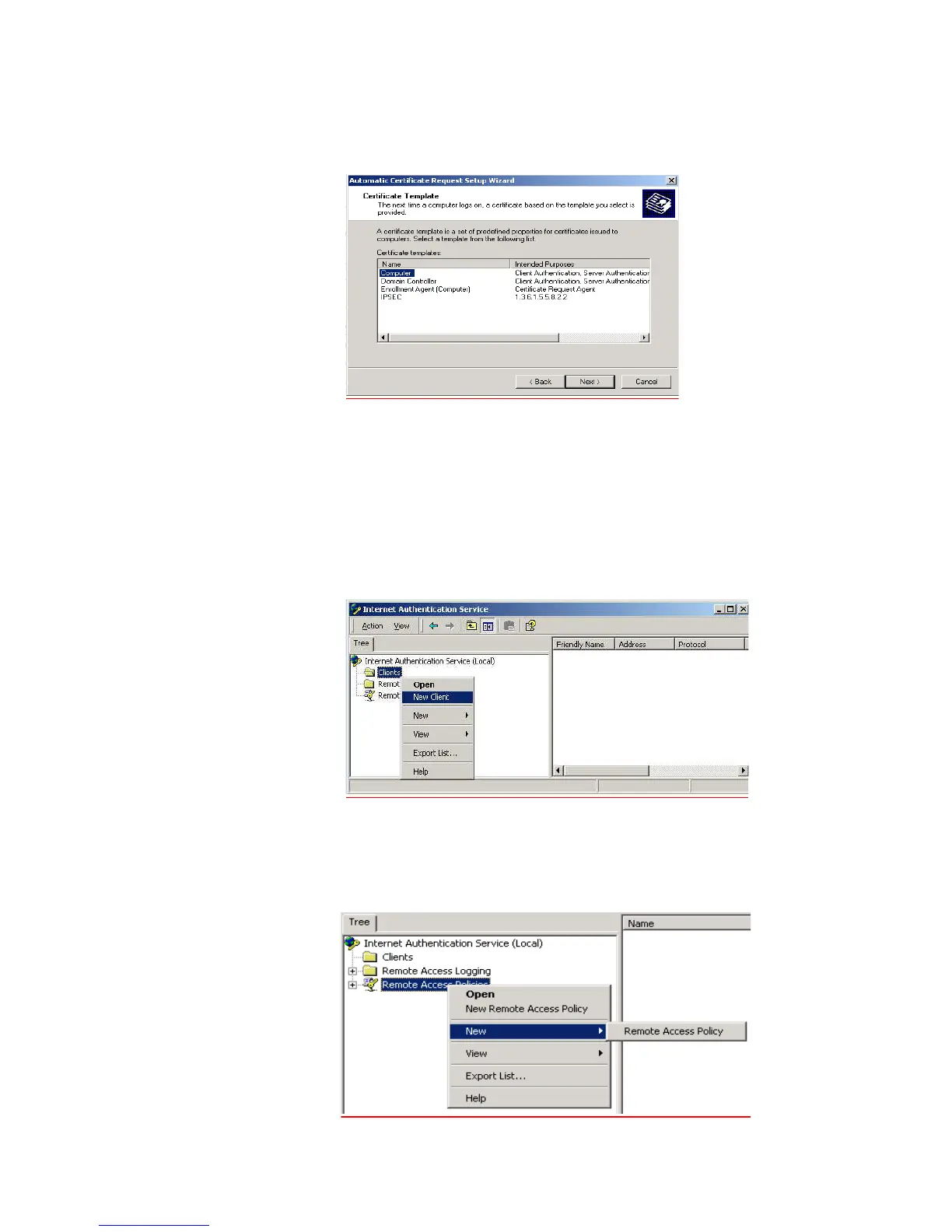
g The Certificate Request Wizard will start. Select Next > Computer certificate
template and click Next.
h Ensure that your Certificate Authority is checked, then click Next. Review the
Policy Change Information and click Finish.
i Open up a command prompt (Start > Run, enter
cmd ). Enter secedit
/refreshpolicy machine_policy
. The command may take a few minutes to
take effect.
6 Setup the Internet Authentication Service (IAS) RADIUS Server
a Go to Programs > Administrative Tools > Internet Authentication Service,
right-click Clients, and Select New Client.
b Enter a name for your device that supports IEEE 802.1x. Click Next.
c Enter the IP address of your device that supports IEEE 802.1x, and set a shared
secret. Select Finish. Leave all the other settings as default.
d Right-click Remote Access Policies, and select New Remote Access Policy.















 To Next Page