Setting Up A RADIUS Server 637
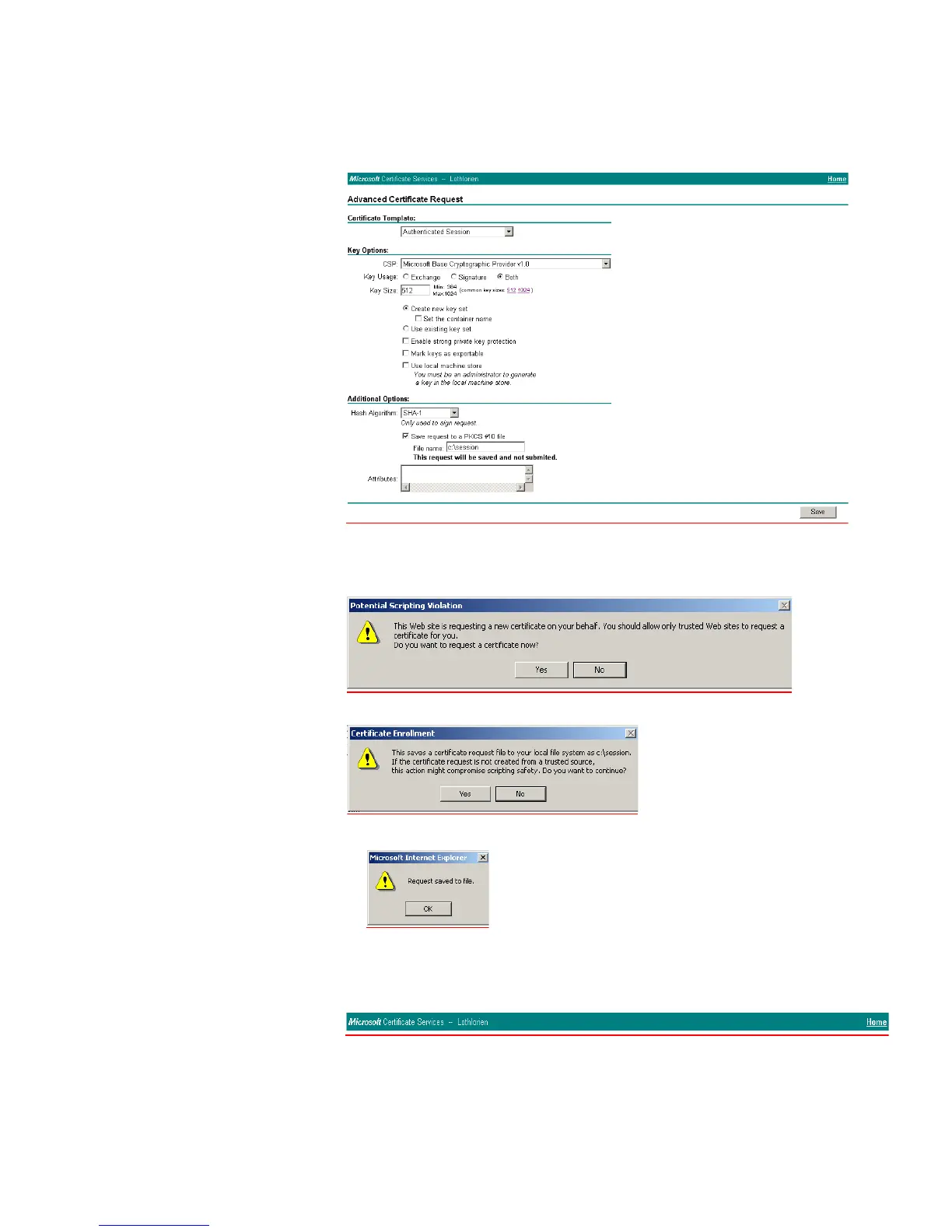
f Either copy the settings from the screenshot below or choose different key
options. Click Save to save the PKCS #10 file.
The PKCS #10 file is used to generate a certificate.
g You will receive this warning messages, select Yes
followed by this warning message, select Yes
and then OK
The PKCS #10 file is now saved to the local drive.
h To generate a portable certificate using PKCS #10, click the Home hyperlink at
the top right of the CA Webpage.
i Select Request a certificate > Next > Advanced request > Next















 To Next Page