Setting Up A RADIUS Server 649
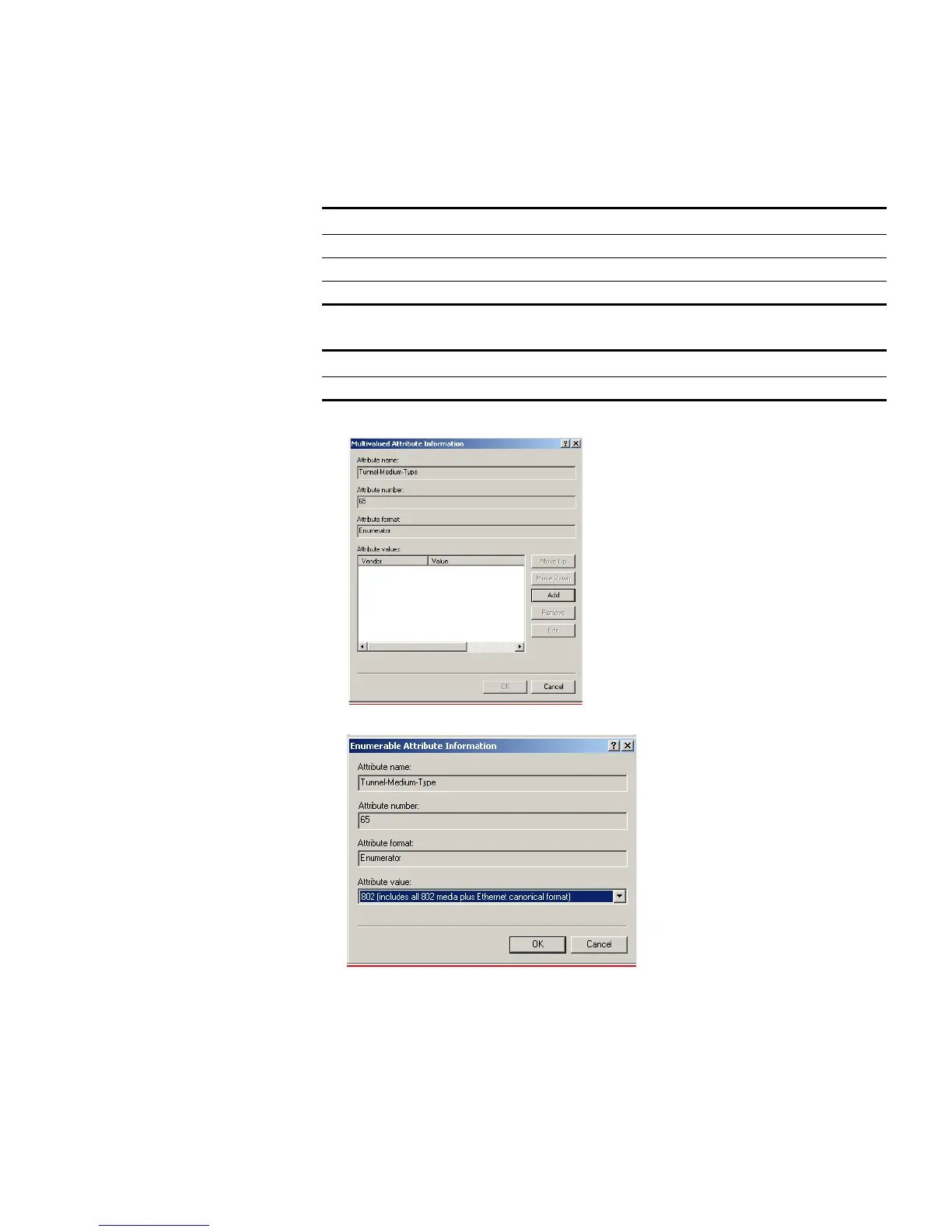
i Click Edit Profile... and select the Advanced tab. Click Add. Refer to Table 686
and Table 687 for the RADIUS attributes to add to the profile.
j Select Tunnel-Medium-Type and click Add.
k Ensure that the Attribute value is set to 802 and click OK.
l Click OK again on the Multivalued Attribute Information screen to return to the
Add Attributes screen.
Table 686 Summary of auto VLAN attributes
For Auto VLAN Return String Comment
Tunnel-Medium-type 802
Tunnel-Private-Group-ID 2 VLAN value
Tunnel-Type VLAN
Table 687 Summary of QoS attributes
For Auto QoS Return String Comment
Filter-id profile=student QoS Profile name















 To Next Page