650 CHAPTER B: RADIUS SERVER AND RADIUS CLIENT SETUP
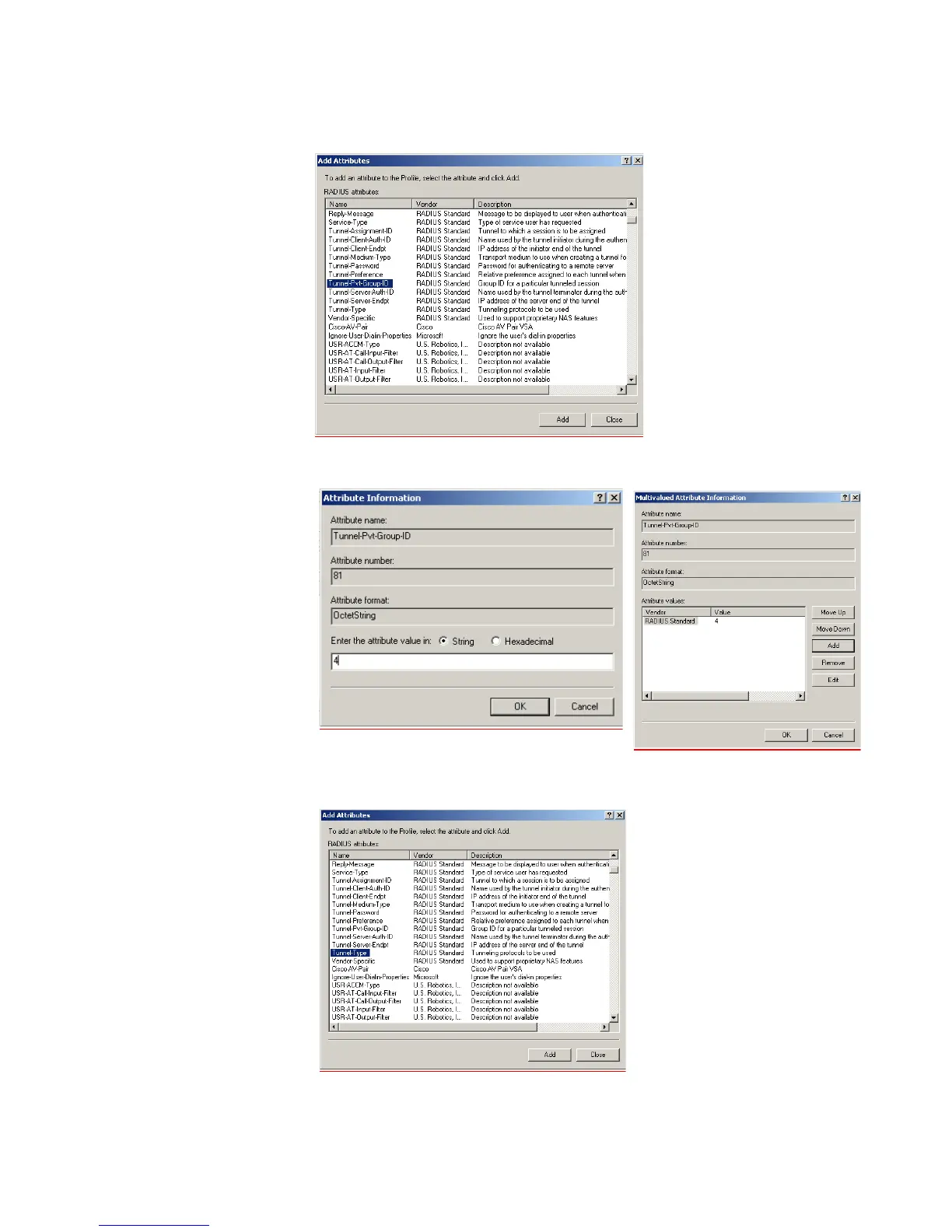
m Select the Tunnel-Pvt-Group-ID entry and click Add.
n Click Add, ensure that the Attribute value is set to 4 (Attribute value in string
format), and click OK. This value represents the VLAN ID.
o Click OK again on the Multivalued Attribute Information screen to return to the
the Add Attributes screen. Select the Tunnel-Type entry and click Add.















 To Next Page