Setting Up A RADIUS Server 651
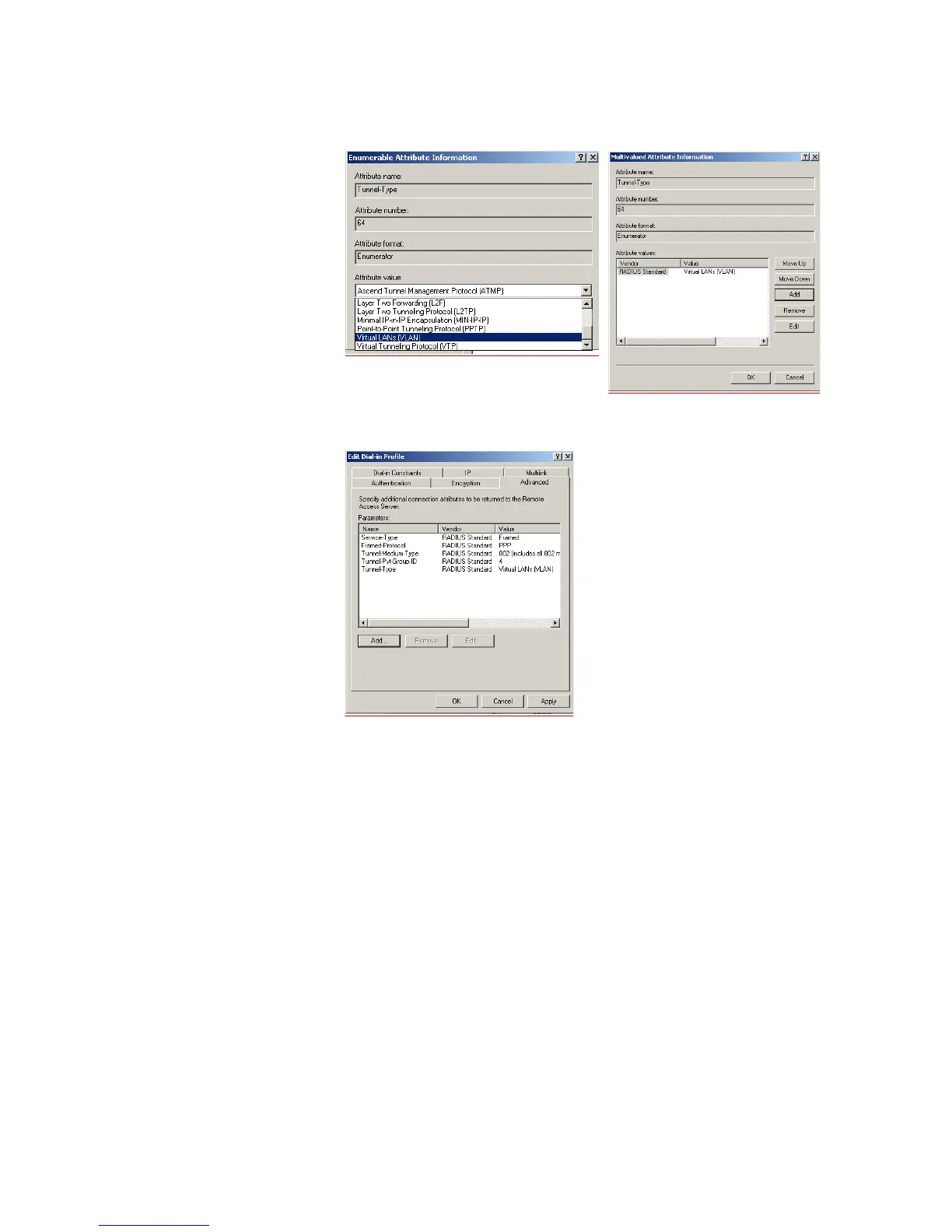
p Click Add again. In the pull down menu, select Virtual LANs and click OK.
q Click OK again and to return to the Add Attributes screen. Click Close. You will
now see the added attributes
r Click OK to close the Profile screen and OK again to close the Policy screen.
This completes the configuration of the Internet Authentication Service.
2 To test the configuration, connect the workstation to a port on the Switch 5500
(the port does not have to be a member of VLAN 4). Ensure that there is a DHCP
server connected to the switch that resides on a switch port that is an untagged
member of VLAN 4. The RADIUS server should reside in the same VLAN as the
workstation.
Once authenticated the switch will receive VLAN information from the RADIUS
server and will place the switch port in the associated VLAN.
For troubleshooting, you can use the Event Viewer on both the workstation and
the RADIUS server.















 To Next Page