Setting Up the Cisco Secure ACS (TACACS+) server 667
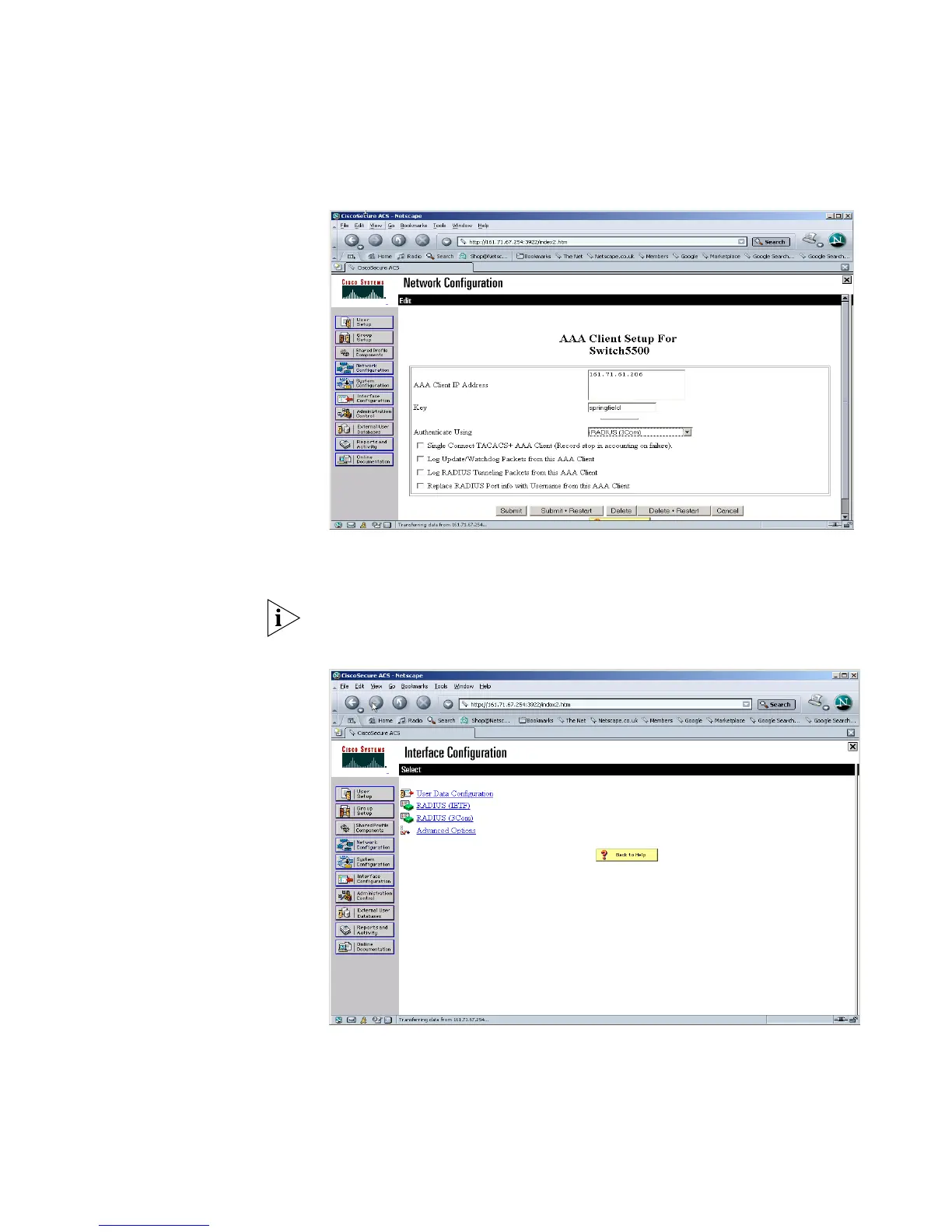
2 To use the new RADIUS attributes, a client needs to be a user of RADIUS (3Com)
attributes. Select Network Configuration from the left hand side and select an
existing device or add a new device. In the AAA Client Setup window select
RADIUS (3COM) from the Authenticate Using pull down list. .
3 Select Submit+Restart
The IETF attributes will still be available to the device, the 3Com attributes are
simply appended to them.
4 Select Interface Configuration, followed by RADIUS (3Com)















 To Next Page