Warnings
There is a glass ampoule inside the plastic vial of the biological indicator (BI). To
avoid the risk of serious injury from flying debris due to a rupturedBI:
• Allow the BI to cool for the recommended time period before activating.
Activating or excessive handling of the BI before cooling may cause the glass
ampoule toburst.
• Wear safety glasses and gloves when removing the BI from thesterilizer.
• Wear safety glasses when activating theBI.
• Handle the BI by the cap when crushing orflicking.
• Do not use your fingers to crush the glassampoule.
Precautions
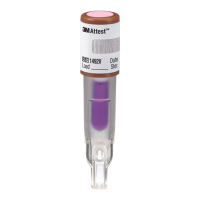
1. DO NOT use the 1492VBI to monitor sterilization cycles which it is not designed
tochallenge:
a. Gravity-displacement steam sterilizationcycles;
b. 250°F (121°C) dynamic-air-removal (pre-vacuum) steam sterilization cycles;
c. Dry heat, chemical vapor, ethylene oxide or other low temperature
sterilizationprocesses.
2. After BI activation, ensure media has flowed to the spore growthchamber.
3. Do not place tape or labels on 1492VBI prior to sterilization or incubation in the
490 Auto-reader.
MonitoringFrequency
Follow facility Policies and Procedures which should specify a biological indicator
monitoring frequency compliant with professional association recommended
practices and/or national guidelines and standards. As a best practice and to provide
optimal patient safety, 3M recommends that every steam sterilization load be
monitored with a biological indicator in an appropriate Process Challenge Device
(PCD i.e., BI challenge testpack).
Directions forUse
1. Identify the 1492VBI by writing the load number, sterilizer, and processing date
on the indicator label. Do not place another label or indicator tape on the vial
or on thecap.
2. Place the 1492VBI in a representative tray configuration or Process Challenge
Device (PCD) as recommended by professional association guidelines or national
standards for healthcare facility practice. Do not place the 1492VBI in direct
contact with a chemical indicator as residue could transfer to the biological
indicator and affect theresult.
3. Place the PCD in the most challenging area of the sterilizer. This is typically on
the bottom shelf, over the drain, however, the sterilizer manufacturer should be
consulted to identify the area of the chamber least favorable tosterilization.
4. Process the load according to recommendedpractices.
5. After completion of the cycle take the PCD out of the sterilizer, and remove the
1492VBI.
6. Allow the 1492VBI to cool for 10 minutes prior toactivation.
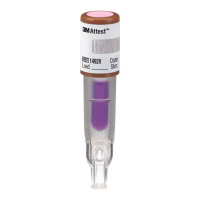
7. Check the process indicator on the top of the cap of the 1492V BI. A color
change from pink to light brown or darker confirms that the 1492V BI has been
exposed to the steam process. This color change does not indicate that the
steam process was sufficient to achieve sterility. If the process indicator is
unchanged, check the sterilizer physical monitors.
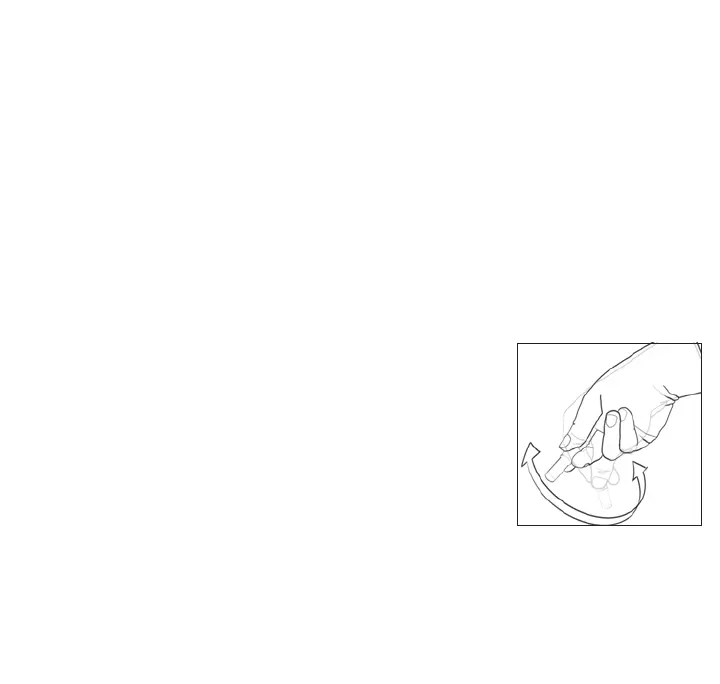
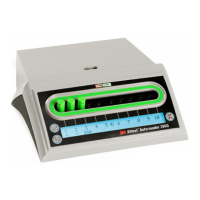
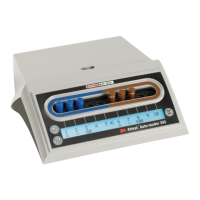
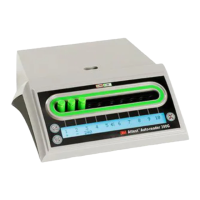
8. To activate the biological
indicator, place it in a 490
Auto-reader incubation well
which is color-coded brown
(i.e., configured to incubate
1492VBIs). Press the cap of
the BI down firmly to close
the cap and crush the glass
ampoule. Immediately remove
the BI and flick it (see picture
at right). Visually verify that
media has flowed into the
growth chamber at the bottom
of the vial. If the media hasn’t
filled the growth chamber, hold the BI by the cap and flick it until media fills the
growth chamber. Return the activated 1492VBI to the incubation well and wait
for the result. See the 490 Auto-reader Operator’s Manual for further information
related to itsuse.




 To Next Page