31
5 PROGRAMMING…
…5.9 Test Outputs and Maintenance
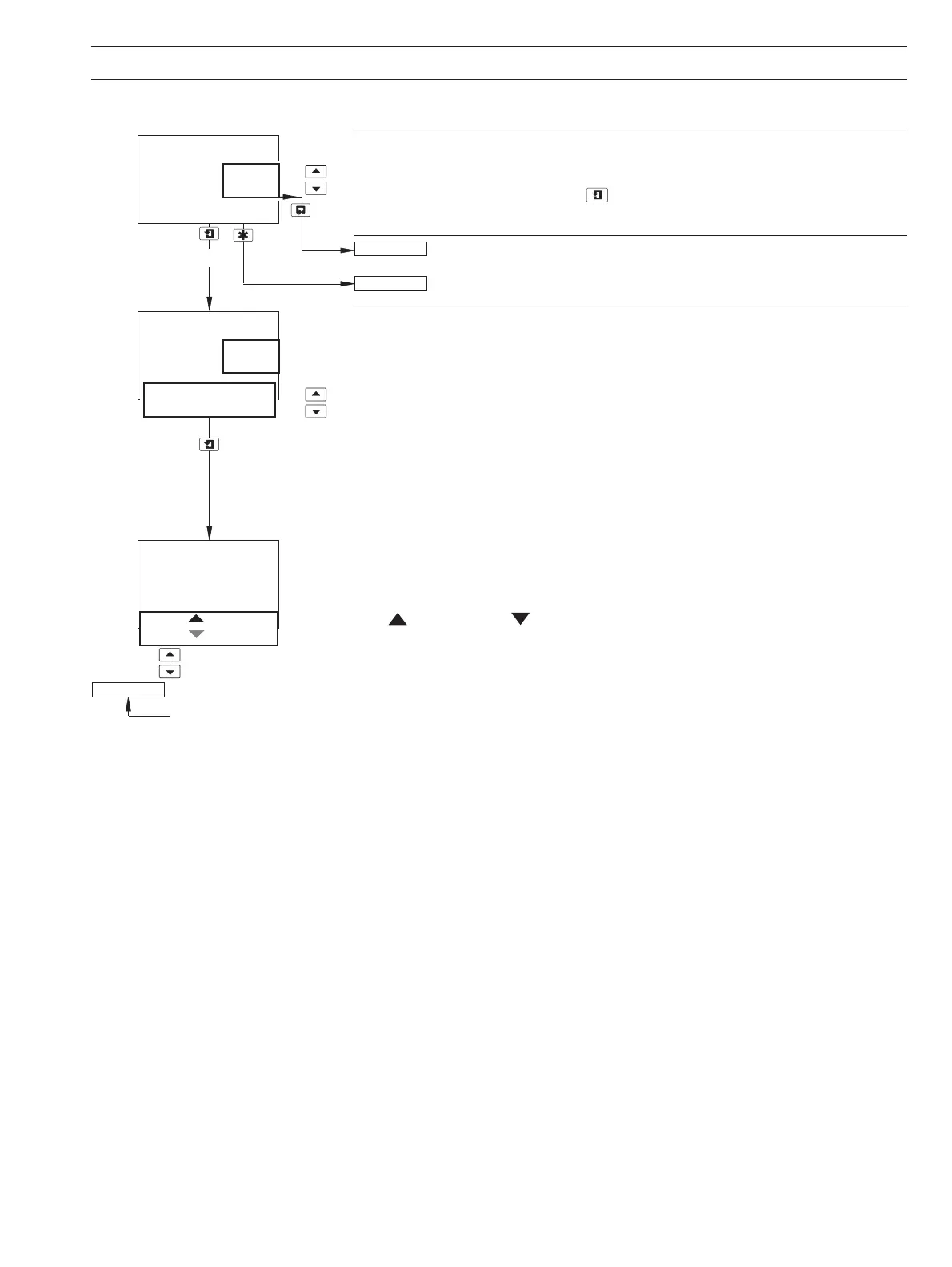
Load/Save Configuration
Select whether a configuration is to be loaded or saved.
Note. If
No is selected, pressing the key has no effect.
Return to main menu.
See Section 7.1.
Load User/Factory Configuration
Note. Applicable only if
Load/Save Config is set to Yes.
Factory Config. –resets all the parameters in the Configuration Pages to the
Company Standard.
Save User Config. – saves the current configuration into memory.
Load User Config. –reads the saved user configuration into memory.
User Config. and Factory Config. are displayed alternately if a User Configuration has been
saved previously. Select the configuration required.
Press to Set and Press to Abort are displayed alternately on the lower display line.
Press the appropriate key to load/save the configuration or abort the changes.
Load/Save Config
-----
-----
Yes
No
Load
Save
User Config.
Factory Config.
-----
Press To Set.
Press To Abort
TEST/MAINTENANCE
Yes
FACTORY SETTINGS
TEST/MAINTENANCE


 To Next Page