12
…3 OPERATOR VIEWS
3.6 View Logbook
Note. The View Logbook function is available only if Logbook is set to On – see Section 5.7.
The logbook stores data entries for alarm events, sensor errors, power failures and sensor
calibrations.
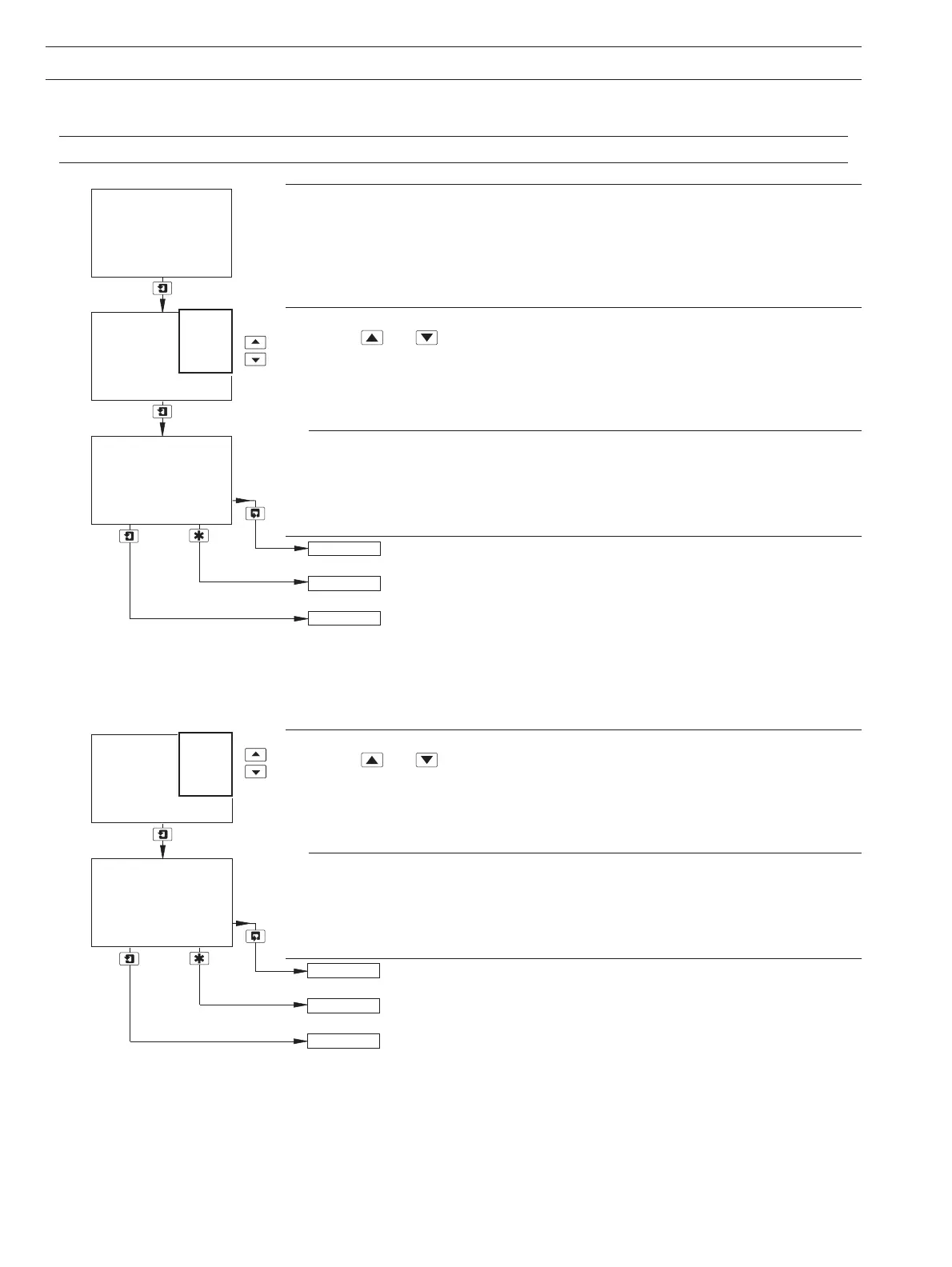
View Logbook
Use the
and keys to access the Alarms logbook.
Note. If no entries are stored in the
Alarms logbook, the display shows No More Entries.
Alarms
The
Alarms logbook contains up to 10 entries (entry 1 is the most recent), each comprising
an alarm number, alarm state (On or Off), and the date/time of the occurrence.
Operating Page – see Section 2.3.
See Section 4.2.
Advance to entries 2 to 10.
Note. If no more entries are stored, the display shows
No More Entries.
View Logbook
Use the
and keys to access the Errors logbook.
Note. If no entries are stored in the
Errors logbook, the display shows No More Entries.
Errors
The
Errors logbook contains up to 5 entries (entry 1 is the most recent), each comprising
the sensor letter, error number, and the date/time of the occurrence.
Operating Page – see Section 2.3.
See Section 4.2.
Advance to entries 2 to 5.
Note. If no more entries are stored, the display shows
No More Entries.
-----
02:03:04 15:17
VIEW LOGBOOK
-----
Diss. Organics
SENSOR CAL
2 A1
-----
VIEW LOGBOOK
1
Cals
Power
Errors
Alarms
A1
On
-----
-----
02:03:04 16:44
Diss. Organics
SENSOR CAL
2 Sen. A
VIEW LOGBOOK
1
Sen. A
Alarms
Cals
Power
Errors


 To Next Page