44
…7 CALIBRATION
…7.1 Factory Settings
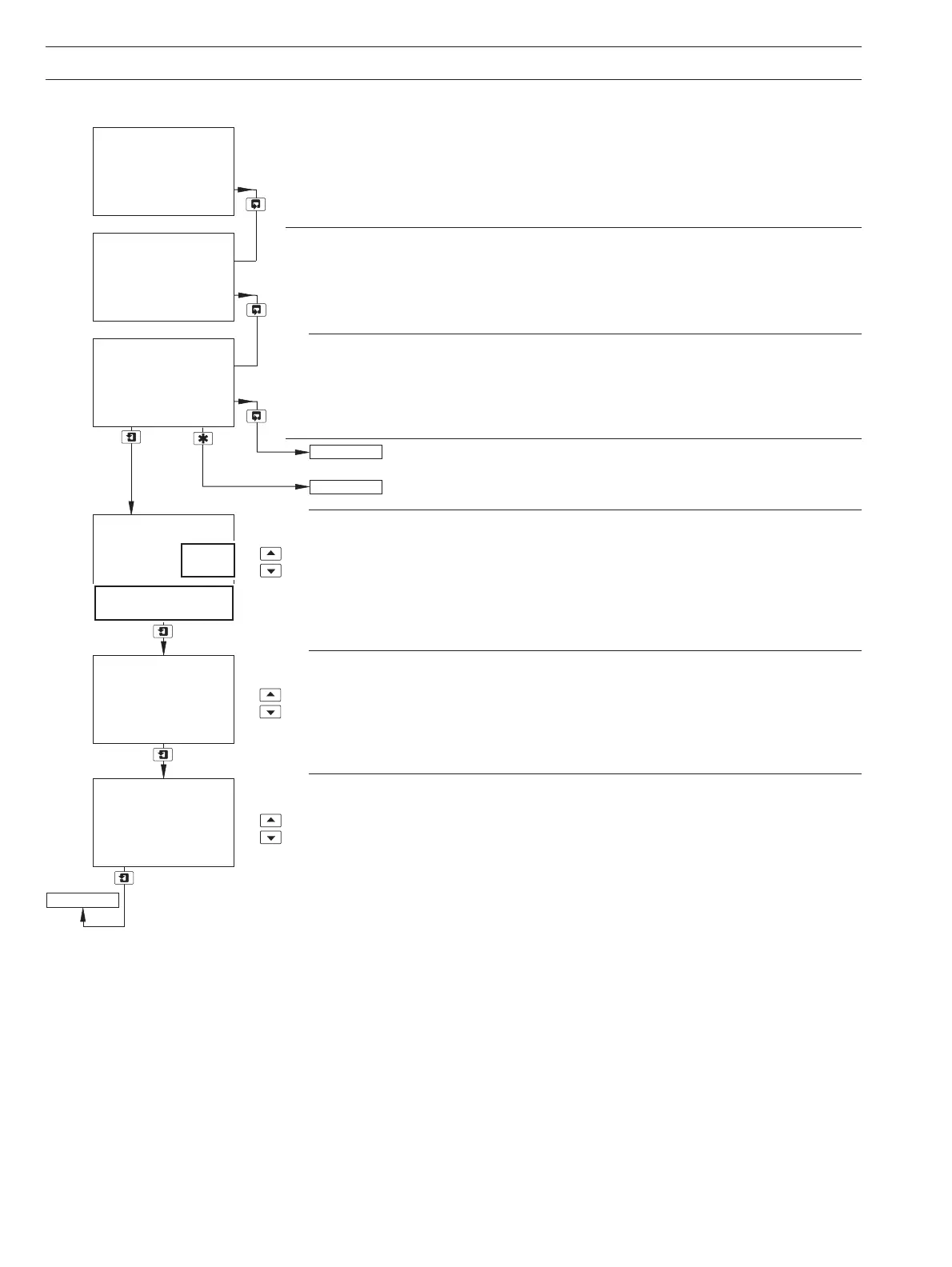
Factory Settings Access Code
Enter the required code number, between 0000 and 19999, to gain access to the factory
settings. If an incorrect value is entered, access to subsequent frames is prevented and the
display reverts to the top of the page.
Set Up Sensor A
Note. The values in the display lines for sensor calibration are shown as examples only –
the actual values obtained will differ.
Continued on next page.
Operating Page – see Section 2.3.
Select Sensor Type
Select the sensor type connected to sensor input A.
7320 100 – Low Range 0 to 20mgl
-1
C
7320 200 – High Range 0 to 100mgl
-1
C
Note.
DO NOT select option 7330 100. The hardware is incompatible.
Reference Factor
Set to 1.000.
Reference Signal Lower Limit
Set the reference signal level at which the Low Signal status message is displayed
(default = 25%), between 0 and 25% in 1% increments – see Table 9.1 on page 54.
Factory Set Code
0000
FACTORY SETTINGS
-----
Set Up Sensor A
-----
Set Up Sensor B
Diss. Organics
A:Ref Low Limit
%
25
A:Ref. Factor
1.000
7320
200
100
A: Lo Organics
A: Hi Organics
Set Up Sensor A


 To Next Page