46
…7 CALIBRATION
…7.1 Factory Settings
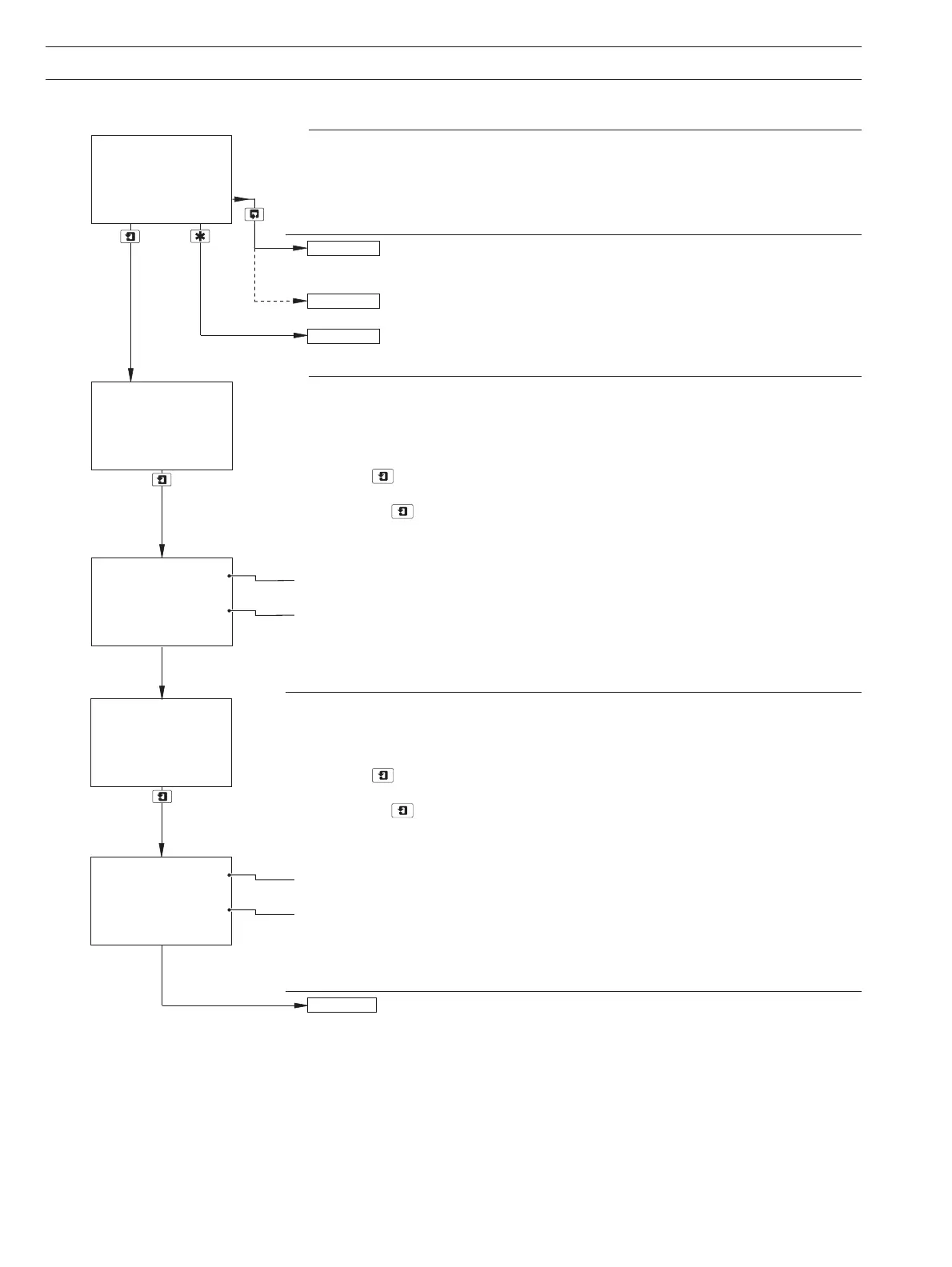
Calibrate Sensor A
Note. The Factory Calibration matches the specific linearity characteristics of the sensor
to the transmitter.
Sensor B calibration (dual input monitors only) is identical to Sensor A
calibration.
Single input monitors only – continued on page 46.
Operating Page – see Section 2.3.
Zero Calibration
Fill the flowcell with de-ionized water.
Press the key to initiate calibration.
Note. If the key is pressed again at any time before calibration is complete, the
calibration is aborted and the display advances automatically to the next step.
Raw Output from Sensor
Organic signal
Reference signal
As calibration proceeds, a progress indicator appears in the lower display line. After 3
minutes, the lower display line shows
100%, the display then advances
automatically to the next step.
Calibrate with Solution 1
Fill the flowcell with a 5mgl
–1
(7320 100 sensor) or 25mgl
–1
(7320 200 sensor) span
standard solution prepared from the stock standard solution – see Section 4.1.2.
Press the
key to initiate calibration.
Note. If the key is pressed again at any time before calibration is complete, the
calibration is aborted and the display advances automatically to the next step.
Raw Output from Sensor
Organic signal
Reference signal
As calibration proceeds, a progress indicator appears in the lower display line. After 3
minutes, the lower display line shows
100%, the display then advances
automatically to the next step.
Continued on next page.
Factory Cal. A
-----
Factory Cal. B
Cal. Output 1
A:Fill Zero Sol.
0.00
mg/l C
100%
100.0
0.99
R100.0
A: Fill Sol. 2
Diss. Organics
A: Fill Sol. 1
25.0
mg/l C
24.5
100%
55.0
25.0
mg/l C
R100.0


 To Next Page