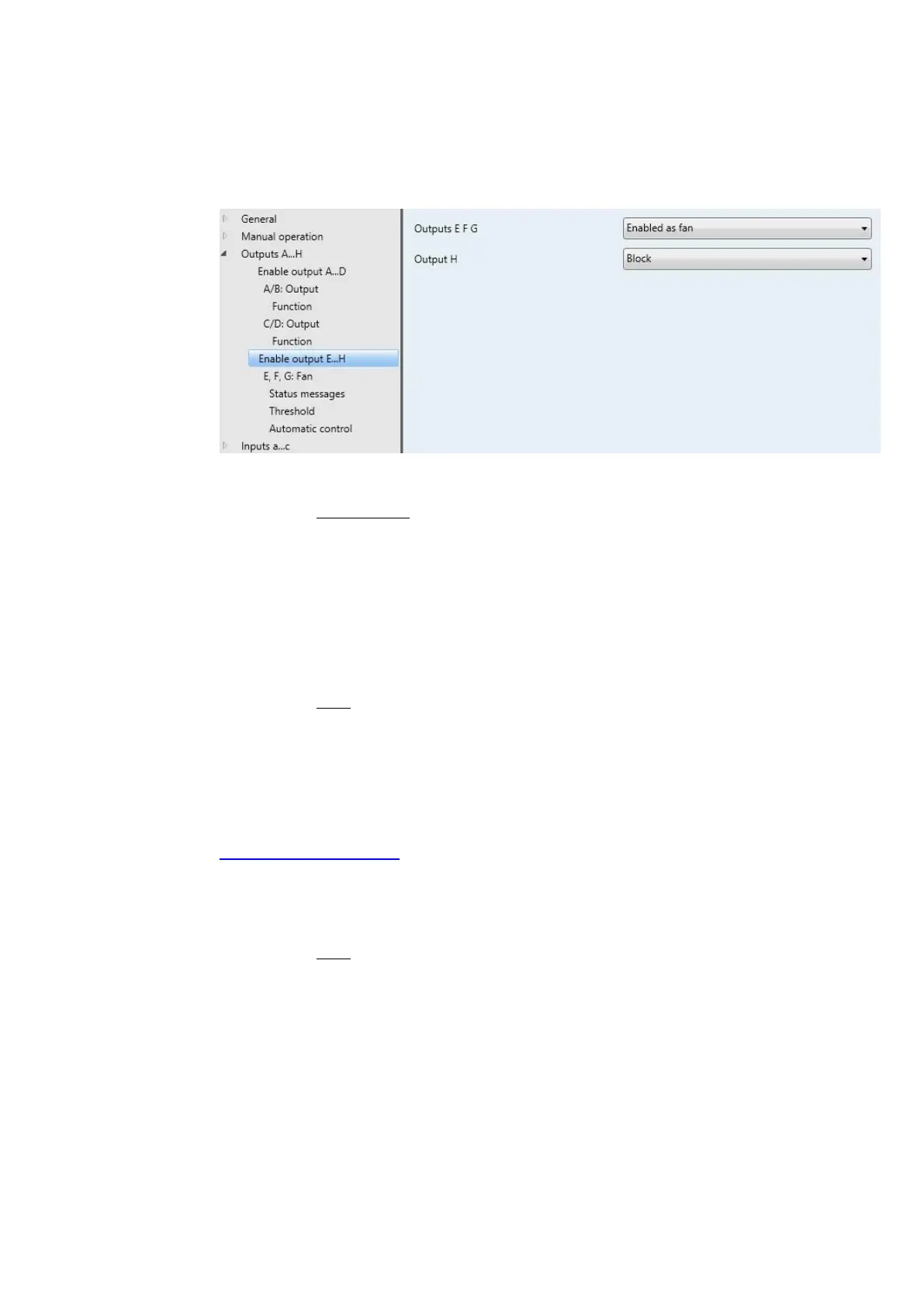
Outputs E, F and G can be programmed as switch actuators and as fans.
Enabled as switch actuators: Outputs E, F and G appear as individual parameters and can be enabled
individually.
Output E
Output F
Output G
Block: Output E, F, G is blocked/hidden. No communication objects are visible.
Enabled: The parameter window E, F, G: Output appears. Dependent communication objects become
visible.
All parameters and their setting options for the outputs E, F, G do not differ from those of output H, see
Parameter window H: Output, p. 163.
Enable as fan: The parameter window E, F, G Fan appears.
Output H
Block: Output H is blocked/hidden. No communication objects are visible.
Enabled: The parameter window H: Output appears. Dependent communication objects become
visible.


 To Next Page
 Loading...