ABB i-bus
®
KNX
Commissioning
134 2CDC508134D0202 | FCA/S 1.x.x.1
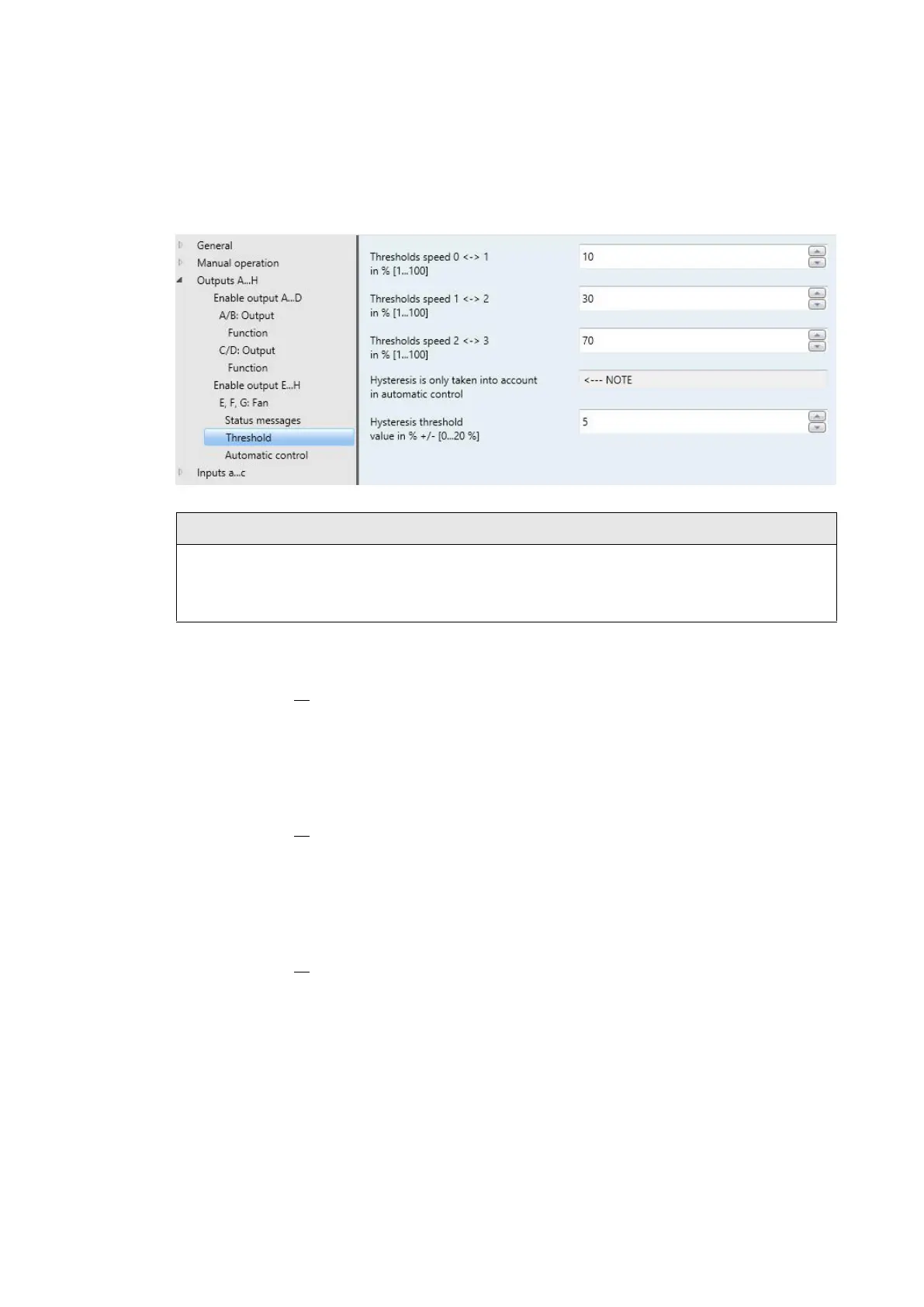
3.2.3.10 Parameter window Thresholds (Multi-level)
The thresholds are defined in this parameter window.
The device evaluates threshold values in ascending order, i.e. first it checks the threshold value for Off -
> Fan speed 1, then Fan speed 1 -> Fan speed 2, and so on.
Proper functionality is only assured if the threshold value for OFF -> Fan speed 1 is less than that for
Fan speed 1 -> Fan speed 2 and this is less than Fan speed 2 -> Fan speed 3, etc.
Threshold value 0 <-> 1
in % [1...100]
Here the threshold value, at which switch on of fan speed 1 occurs, is set. If the value in the
communication object Control value is greater than or equal to the parameterized threshold value, fan
speed 1 is switched on. If the value is smaller, then it is switched off.
Threshold value 1 <-> 2
in % [1...100]
This sets the threshold value at which switchover to fan speed 2 occurs. If the value in the communication
object Control value is greater than or equal to the parameterized threshold value, switchover to fan speed
2 occurs.
Threshold value 2 <-> 3
in % [1...100]
This sets the threshold value at which switchover to fan speed 3 occurs. If the value in the communication
object Control value HEATING or Control value COOLING is greater than or equal to the parameterized
threshold value, switchover to fan speed 3 occurs.





 To Next Page