ABB i-bus
®
KNX
Device technology
64 2CDC508134D0202 | FCA/S 1.x.x.1
Short button push ≤ 1.5 sec.:
As switch actuator:
Press: ON <-> OFF
As fan:
Press: ON
Switching can only be performed in the following order:
"E" => fan speed 1
"F" => fan speed 2
"G" => fan speed 3
To switch off, switch in the reverse order back to button
"E", and then press this button again.
Long button push ≥ 1.5 sec.: No function
Short button push ≤ 1.5 sec.:
Press: ON
Release: OFF
Long button push ≥ 1.5 sec.: No function
Short button push ≤ 1.5 sec.:
As "Switch sensor" and "Send value":
Switch: With every actuation, the states of the input and
the LED are changed.
Button:
Press button => input closed, LED on
Release button => input opened, LED off
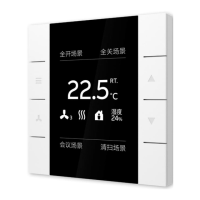
As temperature sensor:
Button has no function. LEDs are switched off.





 To Next Page