Character size Rows in view Characters on row
Small, mono-spaced (6x12
pixels)
5 rows
10 rows with large screen
20
Large, variable width (13x14
pixels)
4 rows
8 rows with large screen
min 8
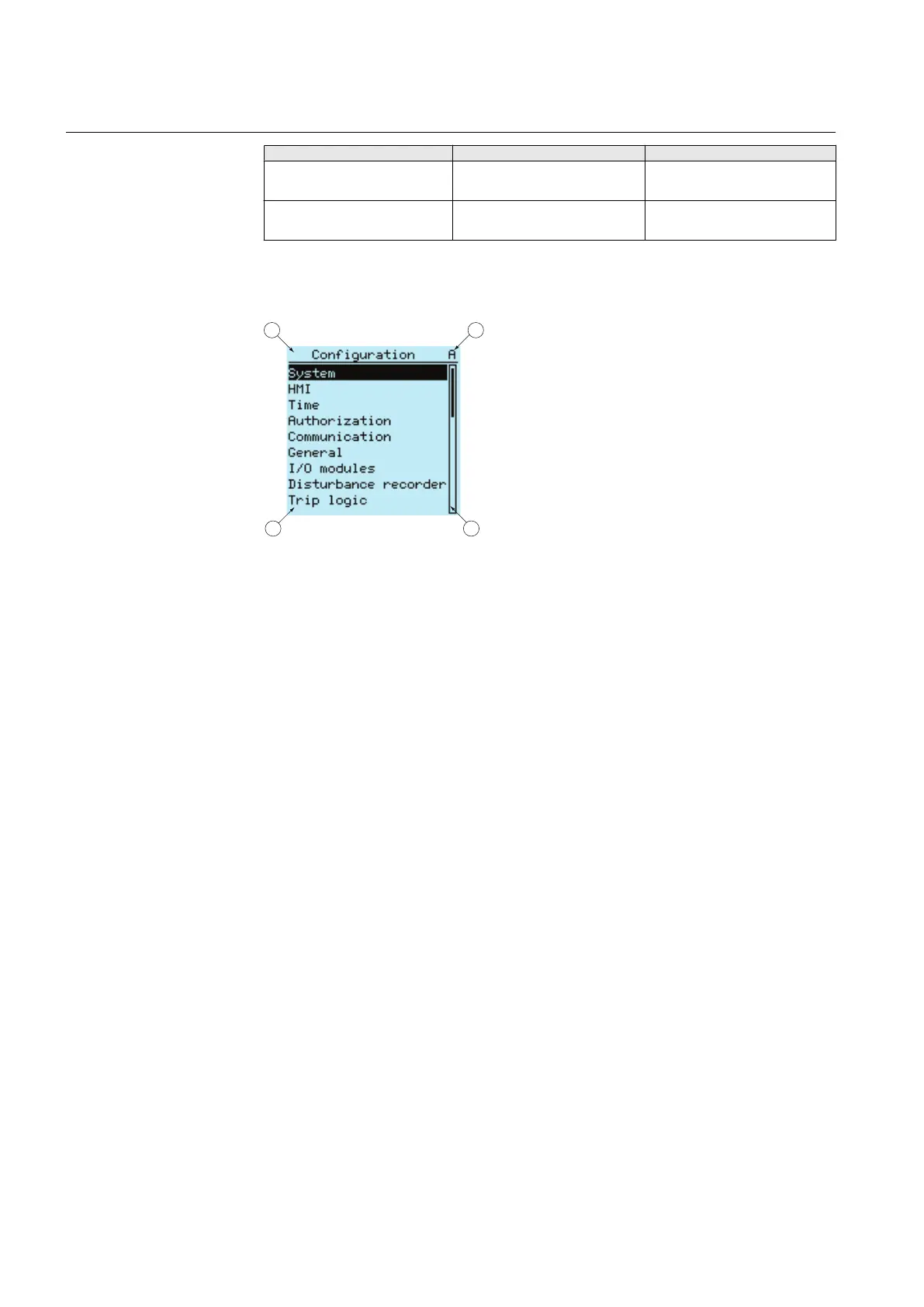
The display view is divided into four basic areas:
A070705 V2 EN
Figure 2: Display layout
1
Header
2 Icon
3 Content
4 Scroll bar (displayed when needed)
2.4.2 LEDs
The LHMI includes three protection indicators above the display: Ready, Start and
Trip.
There are also 11 matrix programmable alarm LEDs on front of the LHMI. The LEDs
can be configured with PCM600 and the operation mode can be selected with the
LHMI and PST.
2.4.3 Keypad
The LHMI keypad consists of push-buttons which are used to navigate in different
views or menus. With push-buttons you can give open or close commands to one
primary object, for example, a circuit breaker, disconnector or switch. The push-
buttons are also used to acknowledge alarms, reset indications, provide help and
switch between local and remote control mode.
Section 2 1MRS756378 D
REF615 overview
22 REF615
Application Manual



 To Next Page