1
General
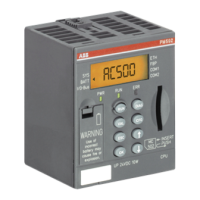
When an error is detected, the ERROR lamp on the control panel illuminates
. If a P
-unit is
connected to the robot system, an error message is presented at the same time in plain
language on the upper line of the display
. This applies also when a P- unit is connected
after the error has developed and the ERROR lamp has illuminated
.
Errors which can occur are divided into
:
•
~
Operational
errors
; the error messages beginning with a number 001-499
.
•
~
System errors
; the error messages beginning with a number 501-999
.
The appropriate corrective actions for the different errors are described below
.
OPERATIONAL ERRORS
1 Check the error type on the upper line of the P-unit display
.
2 If further information is necessary, go directly to point 6
. Otherwise continue with point 3
.
3 Press the control button SHIFT
-
the error message is then cleared
.
4 Perform the control operation correctly so that the error status is not repeated
.
5 Continue with point 8
.
6 Seek the error message displayed in section 3, page 6
.
7 Perform the appropriate actions stipulated in section 3, page 6
.
8
If
the same error message returns or persists, despite the incorrect operation not being
repeated, contact service personnel
.
SYSTEM FAULTS
1 Seek the error message presented in section 4, page 11
.
2 Perform the appropriate corrective actions as described in section 4, page 11
.
3 If the same error message persists or returns, call service personnel
.
NJ
.
Some error messages described in the sections 2
-
4 can occur for certain types of
robots only
.



 To Next Page