142 System Manual SCK Gas Sampling System 42/23-81 EN Rev. 4
Cleaning gas sampling probe H
Observe all safety instructions in the section Safety regulations for operation on
page 136 when performing this work.
You can start a cleaning process as follows:
Clean in MANUAL mode (on touchscreen on the control cabinet)
Clean in MANUAL mode (remote control via network connection)
Clean in AUTOMATIC mode (time-controlled)
Clean in AUTOMATIC mode (error-controlled)
In MANUAL mode you can start the cleaning process in the Cleaning dialog (Op-
eration ► Probe ► Cleaning).
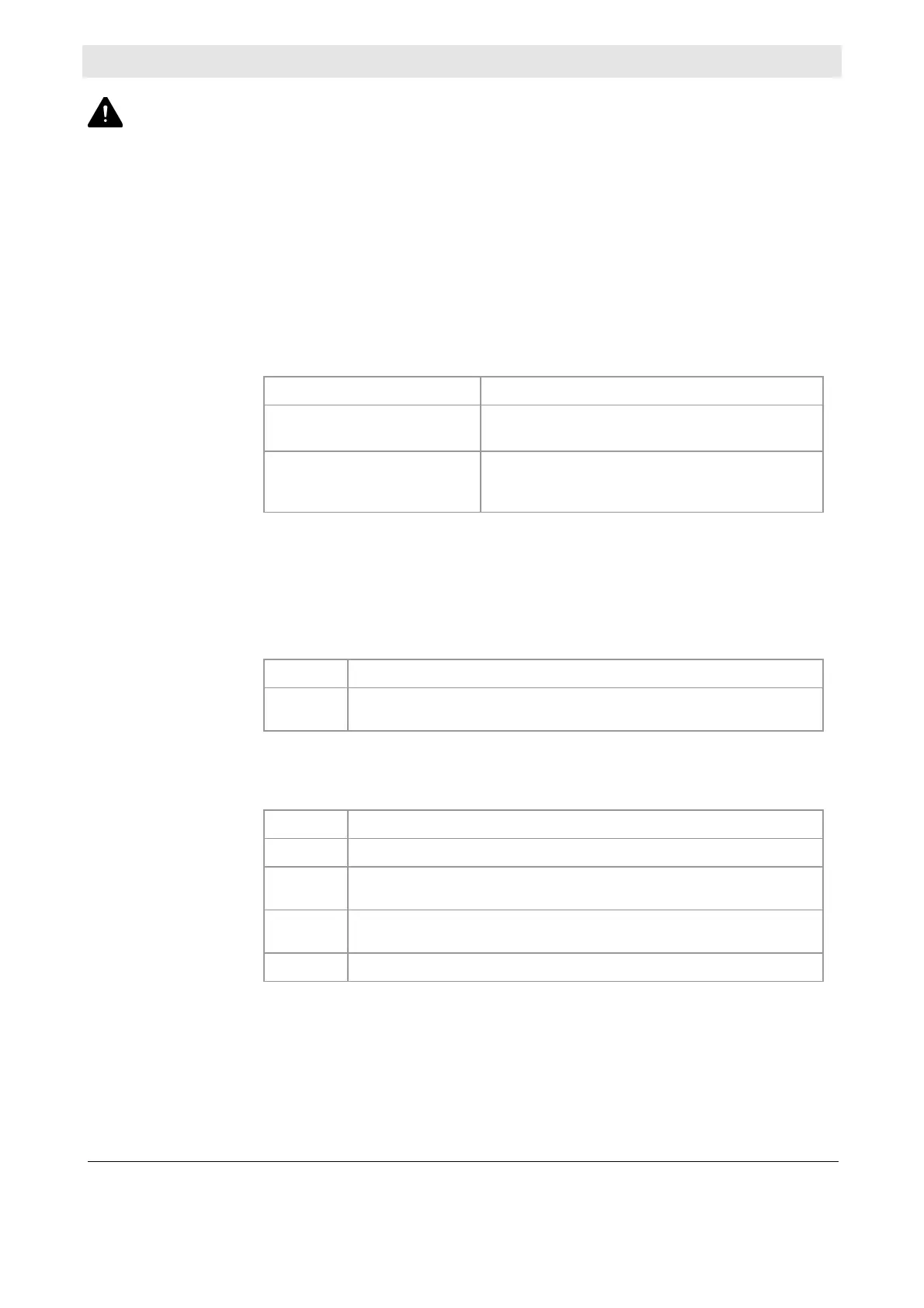
The following two buttons are available:
Button Function
Manual Mechanical
Cleaning
The plunger moves forward and backward once
to clean the sample gas inlet.
Start Manual
Cleaning
The system emits a blast of air lasting 5 sec-
onds to clean the probe filter; the plunger is
activated.
Note: In MANUAL mode you can also remote-control cleaning via a network con-
nection.
In AUTOMATIC mode the cleaning process is a time-controlled, automatic process
that runs as follows:
Phase Description
1
Plunger moves forward and backward to clean the sample gas
inlet. Measuring is not interrupted.
The following processes runs after a number of cleaning cycles, that you can set
on the touchscreen:
Phase Description
1
Air cannon activated to clean the wall tube.
2
Gas sampling probe moves out and in to scrape off any adhering
material.
3
Plunger moves forward and backward to clean the sample gas
inlet.
4
Air blast to clean the probe filter.
Starting the cleaning
process
Cleaning in MANUAL
mode
Cleaning in
AUTOMATIC mode



 To Next Page