38 System Manual SCK Gas Sampling System 42/23-81 EN Rev. 4
Structure and function of the control system
The system is equipped with operating software operated from a touchscreen. It is
located on the front of the control cabinet. The operator can select functions and
configure settings from here. To select a function or configure settings, the operator
simply touches the buttons with his finger.
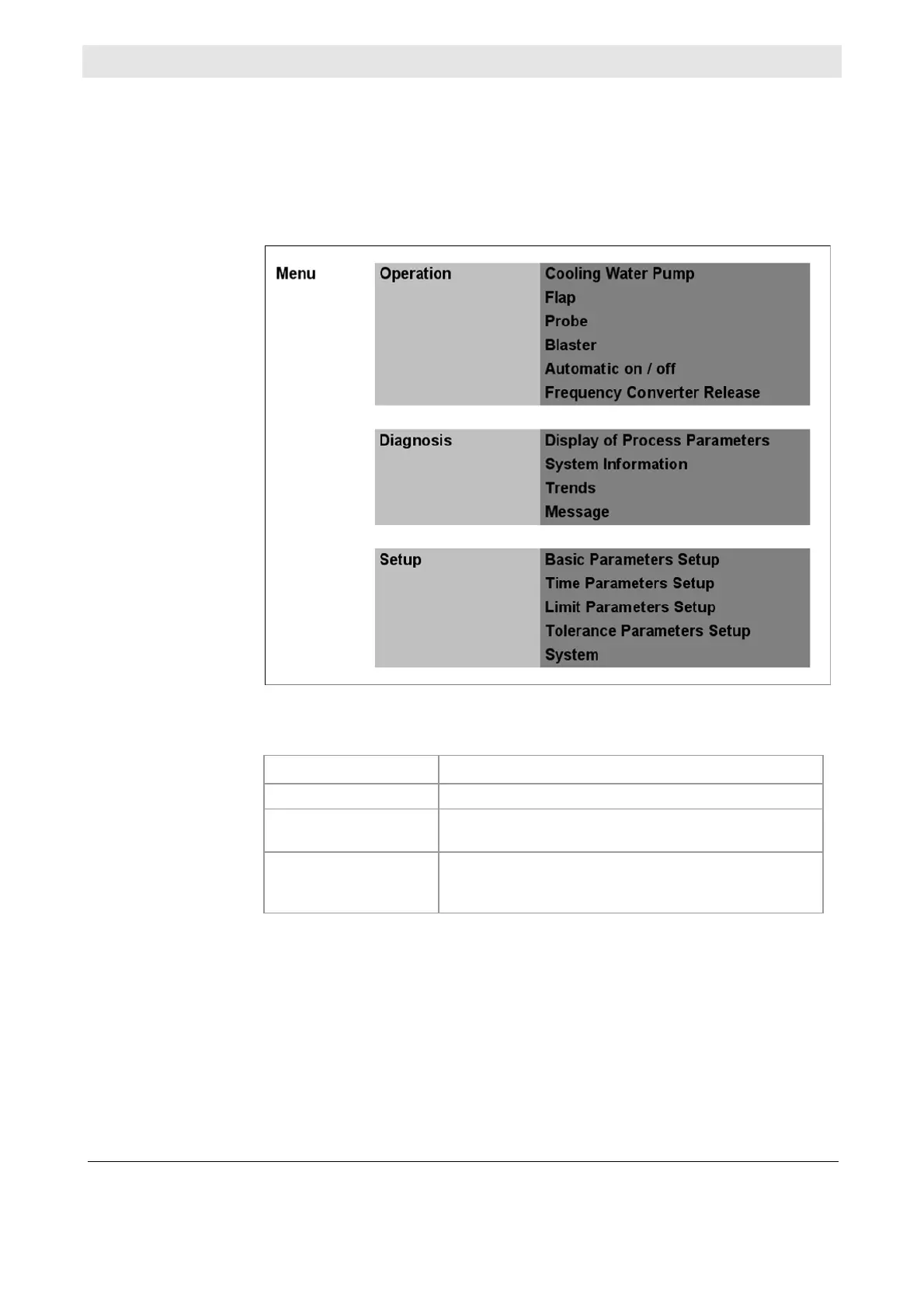
The following diagram depicts the menu structure. Only the first two of a maximum
of four menu levels are shown.
The following table outlines the functions of the main menus:
Menu Function
Operation
Operating functions for start-up, maintenance, etc.
Diagnosis
Displays current measured values, trend displays,
messages and system information, etc.
Setup
Setup for system optimization (limits, etc.), access
permissions, editing tolerance ranges, network set-
tings, etc.
Authentication is performed on the Login User screen, that the operator accesses
in the Start menu by pressing the Menu button and then Login. Without user au-
thorization, the operator can only access the dialogs in the Diagnosis menu. For
an overview of access permissions in the various areas of the control system,
please refer to the section on Access permission on page 49.
The user navigates the interface in the bottom right corner of the screen. The
Menu button goes back to the main menu, the Back button jumps to the previous
What is the control
system for?
Structure
Functions
Login
Navigation



 To Next Page