46 System Manual SCK Gas Sampling System 42/23-81 EN Rev. 4
User interface: Parameter screen
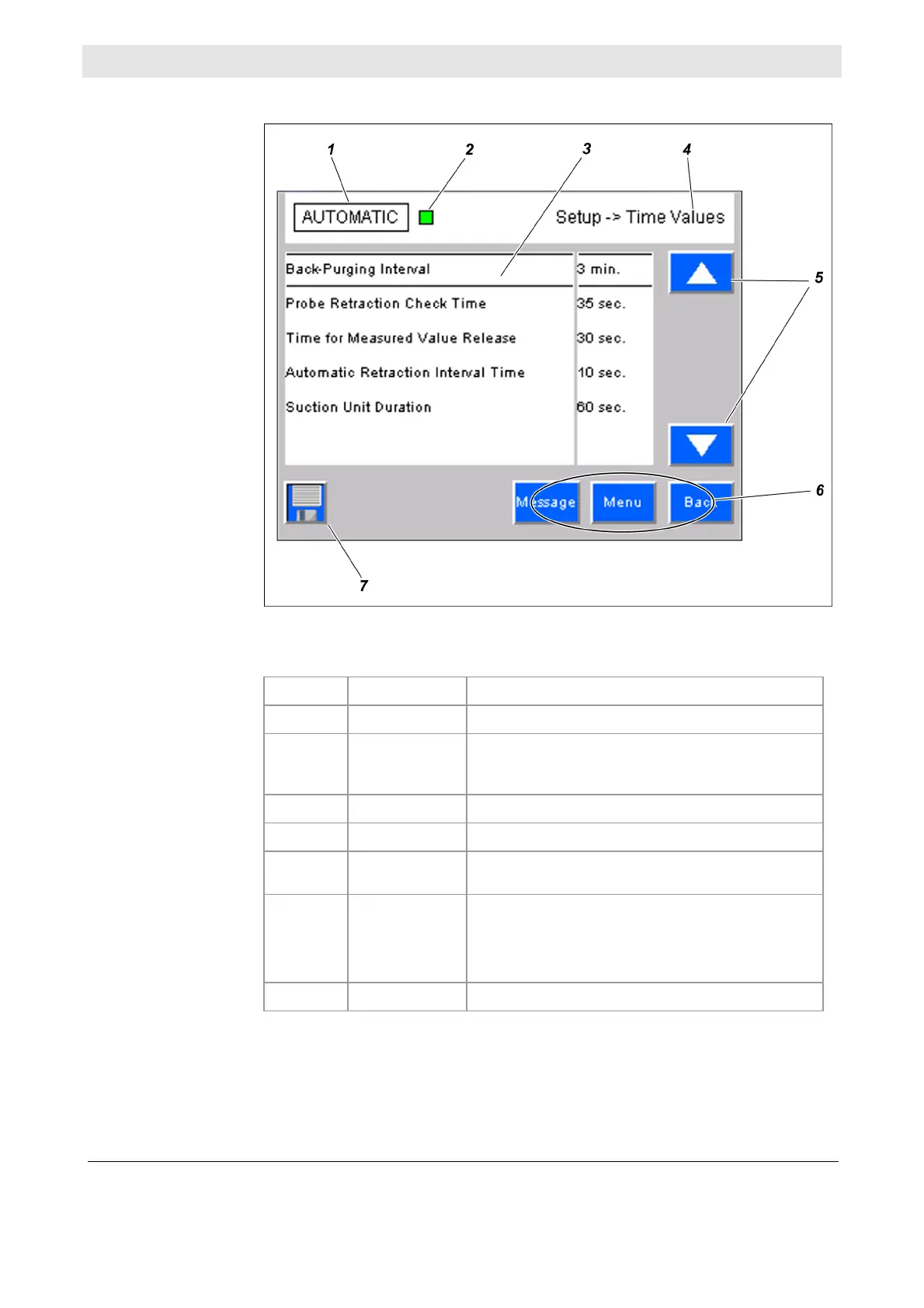
This is a typical parameter screen:
The various areas of the screen have the following functions:
No. Designation Function
1
Mode Displays the mode (AUTOMATIC, MANUAL)
2
System status
lights
Displays the current system status (normal opera-
tion, error, maintenance requirement, mainte-
nance)
3
Display area List of parameters
4
Current menu Menu path display
5
Screen
navigation
Allows navigation in the parameter list
6
Navigation area Allows the following functions:
jump to Message menu
jump to main menu
jump to previous menu
7
Save Saves parameter settings
Illustration
Screen areas



 To Next Page