42 System Manual SCK Gas Sampling System 42/23-81 EN Rev. 4
User interface: Trend screen
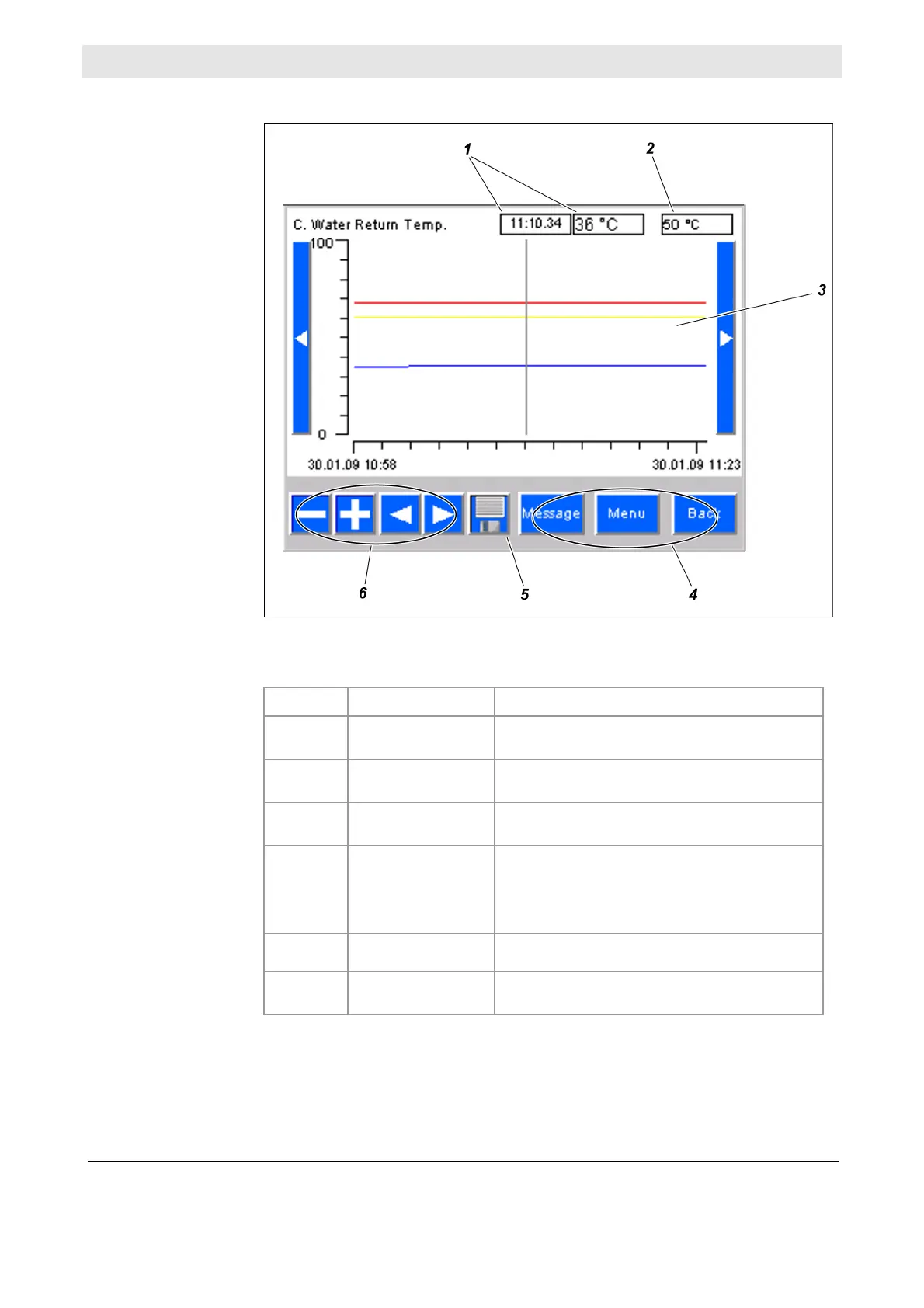
This is a typical trend screen:
The various areas of the screen have the following functions:
No. Designation Function
1
Measure value/time
(reading rule)
indicates the measured value at the time
defined by the reading rule
2
Current measured
value
Current measured value
3
Display area
Displays measured values and alarm thresh-
olds in the form of a line diagram
4
Navigation area Allows the following functions:
jump to Message menu
jump to main menu
jump to previous menu
5
Save Saves trend data
6
Diagram
navigation
Allows you to zoom in/out in the line diagram
and move the window currently displayed
Illustration
Screen areas



 To Next Page