Cables
To meet SF910i specifications and relevant certifications, it is mandatory to use cable(s)
that comply with the requirement in Appendix F.
3.3.5 Close the Enclosure Cover and End of Installation
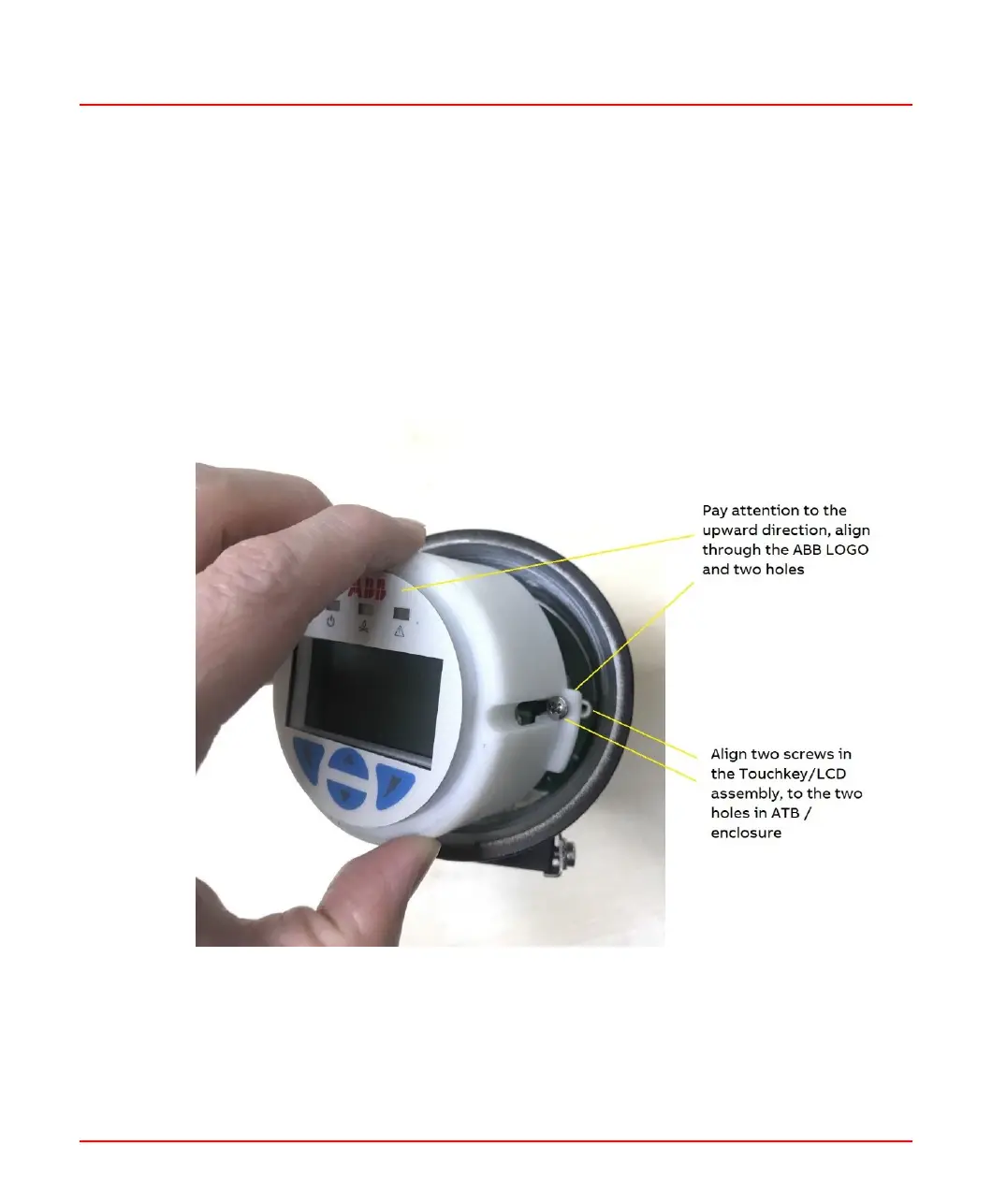
After wiring connection, the user must place back the Touchkey/LCD assembly, just
reverse the steps discussed in Section 3.3.4. At first, pay attention to the upward direction,
and align through the ABB LOGO and align two screws in the Touchkey/LCD assembly
to the two holes in ATB/enclosure as shown in the figure below.
Figure 3.8: Align Two Screws in the Touchkey/LCD assembly to the Two Holes in
ATB/Enclosure
8VZZ005286 B 55
3 Installation
3.3 Product Installation



 To Next Page