EasyManua.ls Logo

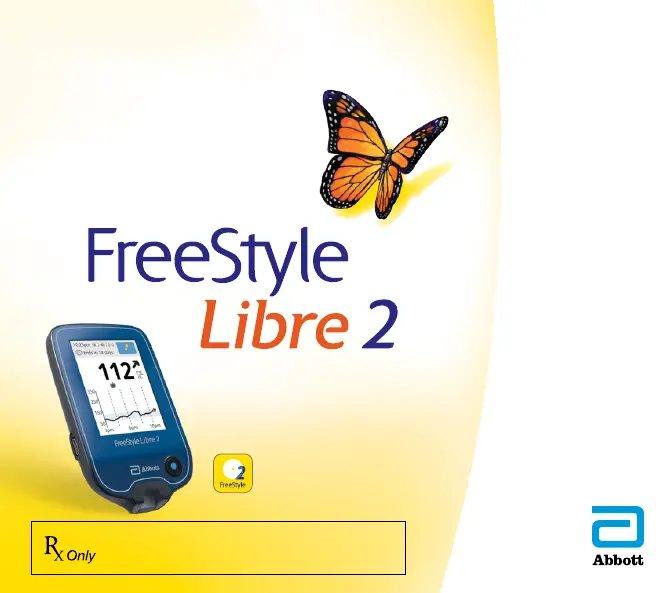
Abbott FreeStyle Libre 2 - User Manual

Abbott FreeStyle Libre 2
236 pages
Print Icon
To Next Page IconTo Next Page
Loading...
Users Manual
FLASH GLUCOSE MONITORING SYSTEM
CAUTION: Federal law restricts this device to
sale by or on the order of a physician.
FreeStyle Libre 2 app
A FreeStyle Libre product
.224”
.257”
4.6”4.6”

Table of Contents

Other manuals for Abbott FreeStyle Libre 2

Questions and Answers

  • T
    Teresa FreemanAug 25, 2025
    What to do if I get Error Message E-1 on Abbott Measuring Instruments?
    • R
      renee53Aug 25, 2025
      If you receive Error Message E-1 on your Abbott Measuring Instruments, follow these steps: 1. Move the reader and test strips to a location where the temperature is within the test strip operating range. 2. Wait for the reader and test strips to adjust to the new temperature. 3. Repeat the test using a new test strip.
  • V
    Vanessa RussellAug 25, 2025
    Why Abbott FreeStyle Libre 2 reader does not power on?
    • J
      Jose ConwayAug 26, 2025
      The Abbott Blood Glucose Meter reader may not power on due to several reasons: the reader battery is too low (charge the reader), the reader is outside of its operating temperature range (move the reader to a temperature between 10 °C and 45 °C and then try to power it on).
  • L
    Lisa LittleAug 26, 2025
    What to do if Abbott FreeStyle Libre 2 shows 'Scan Timeout'?
    • M
      Michael WatkinsAug 26, 2025
      If your Abbott Blood Glucose Meter displays a 'Scan Timeout' message, it means the reader isn't close enough to the sensor. To resolve this, hold the reader within 4 cm (1.5 inches) of the sensor.
  • T
    torressueAug 27, 2025
    What to do if Abbott FreeStyle Libre 2 displays 'Scan Error'?
    • J
      jennifer93Aug 27, 2025
      If your Abbott Blood Glucose Meter displays a 'Scan Error' message, it means that the reader was unable to communicate with the sensor. To resolve this, try scanning again.
  • C
    Carolyn AllisonAug 27, 2025
    What to do if Abbott FreeStyle Libre 2 shows 'Sensor Error'?
    • N
      nguyenmichaelAug 27, 2025
      If your Abbott Blood Glucose Meter displays a 'Sensor Error' message, it means that the system is unable to provide a glucose reading. To resolve this, scan again in 10 minutes.
  • L
    littlefrankAug 28, 2025
    What to do if Abbott FreeStyle Libre 2 Blood Glucose Meter says 'Replace Sensor'?
    • E
      ericbrownAug 28, 2025
      If your Abbott Blood Glucose Meter indicates 'Replace Sensor,' it means the system has detected a problem with your sensor. Apply and start a new sensor.
  • B
    Brittany DuncanAug 29, 2025
    What to do if Abbott FreeStyle Libre 2 displays 'Blood Glucose or Ketone Error Messages'?
    • D
      Dominique AndersonAug 29, 2025
      If your Abbott Blood Glucose Meter displays 'Blood Glucose or Ketone Error Messages,' it could be due to several reasons: the temperature is too hot or too cold for the reader to work correctly (move the reader and test strips to a location where the temperature is within the test strip operating range), your Sensor has ended (replace your Sensor with a new one), reader error (turn off the Reader).
  • J
    Jamie MunozAug 30, 2025
    What to do if Abbott Blood Glucose Meter displays 'Check Sensor'?
    • J
      John KingAug 30, 2025
      If your Abbott Blood Glucose Meter displays 'Check Sensor', it might be because the sensor tip may not be under your skin. Try to start your sensor again.
  • G
    gwendolynstaffordAug 23, 2025
    What to do if my Abbott Measuring Instruments reader does not power on?
    • L
      Lee HornAug 23, 2025
      If your Abbott Measuring Instruments reader doesn't power on, it could be due to a low battery. Try charging the reader. Alternatively, the reader might be outside its operating temperature range. Move the reader to a temperature between 50 °F and 113 °F and then try to power it on.
  • J
    Julia GilesAug 31, 2025
    What does error E-1 mean on Abbott FreeStyle Libre 2 Blood Glucose Meter?
    • T
      thompsonbrandonAug 31, 2025
      If your Abbott Blood Glucose Meter shows error message E-1, the temperature is too hot or too cold for the reader to work correctly. Move the reader and test strips to a location where the temperature is within the test strip operating range (check the test strip instructions for the appropriate range). Wait for the reader and test strips to adjust, then repeat the test with a new test strip. If the error reappears, contact Customer Service.

Summary

Important Safety Information

Indications For Use

Defines the intended use of the FreeStyle Libre 2 Flash Glucose Monitoring System.

Compatible Devices, Apps, and Software

Lists devices, apps, and software compatible with the FreeStyle Libre 2 Sensor.

Contraindications

Details situations or conditions where the system must not be used.

Warnings

Highlights critical safety warnings for system usage.

Cautions and Limitations

Provides important cautions and limitations for safe system use.

Interfering Substances

Explains substances that may affect Sensor glucose readings.

Reader Symbols

Explains the meaning of various symbols displayed on the Reader.

App Symbols

Explains the meaning of various symbols displayed in the App.

Getting to Know Your System

Sensor Kit

Details the components included in the Sensor Kit and their functions.

Reader Kit

Details the components included in the Reader Kit and their functions.

FreeStyle Libre 2 app

Describes the features and compatibility of the FreeStyle Libre 2 app.

Reader Home Screen

Illustrates and explains the elements of the Reader's Home Screen.

App Home Screen

Illustrates and explains the elements of the App's Home Screen.

Reporting Software

Information on downloading and using compatible reporting software.

Setting up Your System for the First Time

Reader Setup

Step-by-step guide for the initial setup of the Reader.

App Setup

Step-by-step guide for the initial setup of the FreeStyle Libre 2 app.

Applying Your Sensor

Starting Your Sensor

Starting Your Sensor with the Reader

Instructions for starting a new Sensor using the Reader.

Starting Your Sensor with the App

Instructions for starting a new Sensor using the FreeStyle Libre 2 app.

Checking Your Glucose

Checking Your Glucose with the Reader

Steps to check glucose levels using the Reader.

Checking Your Glucose with the App

Steps to check glucose levels using the FreeStyle Libre 2 app.

Understanding Your Glucose Readings

Glucose Trend Arrow

Explains the meaning of the Glucose Trend Arrow.

Messages

Making Treatment Decisions

Making Treatment Decisions - Getting Started

Guidance on how to start using system information for treatment decisions.

Using Your Glucose Reading to Make a Treatment Decision

How to use glucose readings and screen information for treatment decisions.

Reader Alarms

Setting Reader Alarms

Instructions on how to set up and customize Reader alarms.

Setting Reader Alarm Sounds

How to adjust sound and vibration settings for Reader alarms.

Using Reader Alarms

Explains what different Reader alarms mean and how to respond.

App Alarms

Setting App Alarms

Instructions on how to set up and customize App alarms.

Using App Alarms

Explains what different App alarms mean and how to respond.

Adding Notes to Glucose Readings

Adding Notes in the Reader

How to add notes to glucose readings using the Reader.

Adding Notes in the App

How to add notes to glucose readings using the App.

Reviewing Your History

Reviewing Your History in the Reader

How to review past glucose readings and notes on the Reader.

Reviewing Your History in the App

How to review past glucose readings and notes in the App.

Removing Your Sensor

Replacing Your Sensor

Using Reminders

Using Reminders in the Reader

How to set and manage reminders on the Reader.

Using Reminders in the App

How to set and manage reminders in the FreeStyle Libre 2 app.

Using the Reader’s Built-in Meter

Intended Use

Specifies the intended use of the Reader's built-in blood glucose meter.

Blood Glucose Testing

Control Solution Testing

Charging the Reader

Living With Your System

Activities

Information on how activities like bathing, sleeping, and travel affect the system.

App Settings and Other Menu Options

App Settings

Configuration options for the FreeStyle Libre 2 app.

Account Settings

Managing your LibreView account information and password.

Connected Apps

How to connect the app with other applications to share data.

Help

Accessing in-app tutorials, product labeling, and legal information.

About

View information about the App software version.

Maintenance and Disposal

Troubleshooting

Reader Does Not Power On

Solutions for when the Reader does not turn on.

Problems at the Sensor Application Site

Troubleshooting issues related to Sensor adhesion and skin irritation.

Problems Starting Your Sensor or Receiving Sensor Readings

Resolving issues with starting a Sensor or receiving readings.

Problems Receiving Alarms

Troubleshooting why alarms are not being received.

Blood Glucose Error Messages

Explains error messages and how to resolve them.

Problems Checking Your Blood Glucose

Troubleshooting issues encountered when checking blood glucose.

Perform a Reader Test

System Specifications

Sensor Specifications

Technical specifications related to the Sensor.

Reader Specifications

Technical specifications related to the Reader.

Electromagnetic Compatibility (EMC)

Guidance and manufacturer’s declaration - electromagnetic emissions

Guidance and manufacturer’s declaration - electromagnetic immunity

Labeling Symbols

Performance Characteristics

Overview of Clinical Studies

Summary of clinical studies conducted to evaluate the system's performance.

Accuracy

Details the accuracy of system glucose measurements compared to reference methods.

Concurrence of System and Reference (CGM vs. YSI)

Analysis of agreement between CGM and YSI glucose readings across ranges.

Glucose Rate of Change Accuracy

Assesses the accuracy of the system's glucose trend arrow calculations.

Alarm Performance

Evaluates the accuracy and performance of Low and High Glucose Alarms.

Sensor Accuracy Over Time

Presents sensor accuracy data across different wear periods.

Sensor Wear Duration

Provides data on how long the Sensor typically lasts during use.

Glucose Reading Availability

Shows the rate at which glucose readings are captured throughout wear duration.

Precision

Evaluates the precision of the system by comparing results from two sensors.

Adverse Events

Reports any device-related adverse events that occurred during studies.

Ascorbic Acid Interference

Explains how ascorbic acid can interfere with sensor glucose readings.

Font License

Limited Warranty

Abbott FreeStyle Libre 2 Specifications

General IconGeneral
Sensor Life14 days
CommunicationBluetooth
Water ResistanceIP27
CalibrationFactory calibrated
ManufacturerAbbott
ModelFreeStyle Libre 2
Sensor TypeFlash glucose monitoring
Requires Finger PrickNo
Warm-up Time1 hour
Operating Temperature10°C to 45°C (50°F to 113°F)
Meter CategoryContinuous Glucose Monitoring (CGM)
AccuracyMARD 9.2%
Storage Temperature-20°C to 60°C (-4°F to 140°F)
CompatibilityFreeStyle LibreLink app
Measurement Range20 to 500 mg/dL
Data Storage8 hours

Related product manuals