Accsense VersaLog Data Loggers User’s Manual Page 56
{
double output;
output = 5000 * Input / 5 ;
return output;
}
For detailed instructions on how to create a custom equation please refer to the Accsense
VersaLog User’s Manual available for download online.
Cali. Low & Cali. High
These two fields specify the custom calibration values that are used for measurement
adjustment.
The Cali. Low value specifies the digital value that is over zero when the input value is in the
low range value (for 0 – 5 VDC channel the low range is zero volt). The equation will
subtract this value from the original digital value when doing the conversion.
The Cali. High value specifies the digital value that is over 65535 when the input value is in
the high range value (for 0 – 5VDC channel the high range is 5 volt). The equation will
subtract this value from the original digital value when doing the conversion.
The valid range for these two parameters is from –32768 to 32767.
These two parameters for each channel were originally set to zero when the logger was first
released.
If you have finished the Cali. Low and Cali. High calibration instructed in the later chapter,
the “Cali. Low” and “Cali. High” values may be readjusted.
Alarm and Excitation:
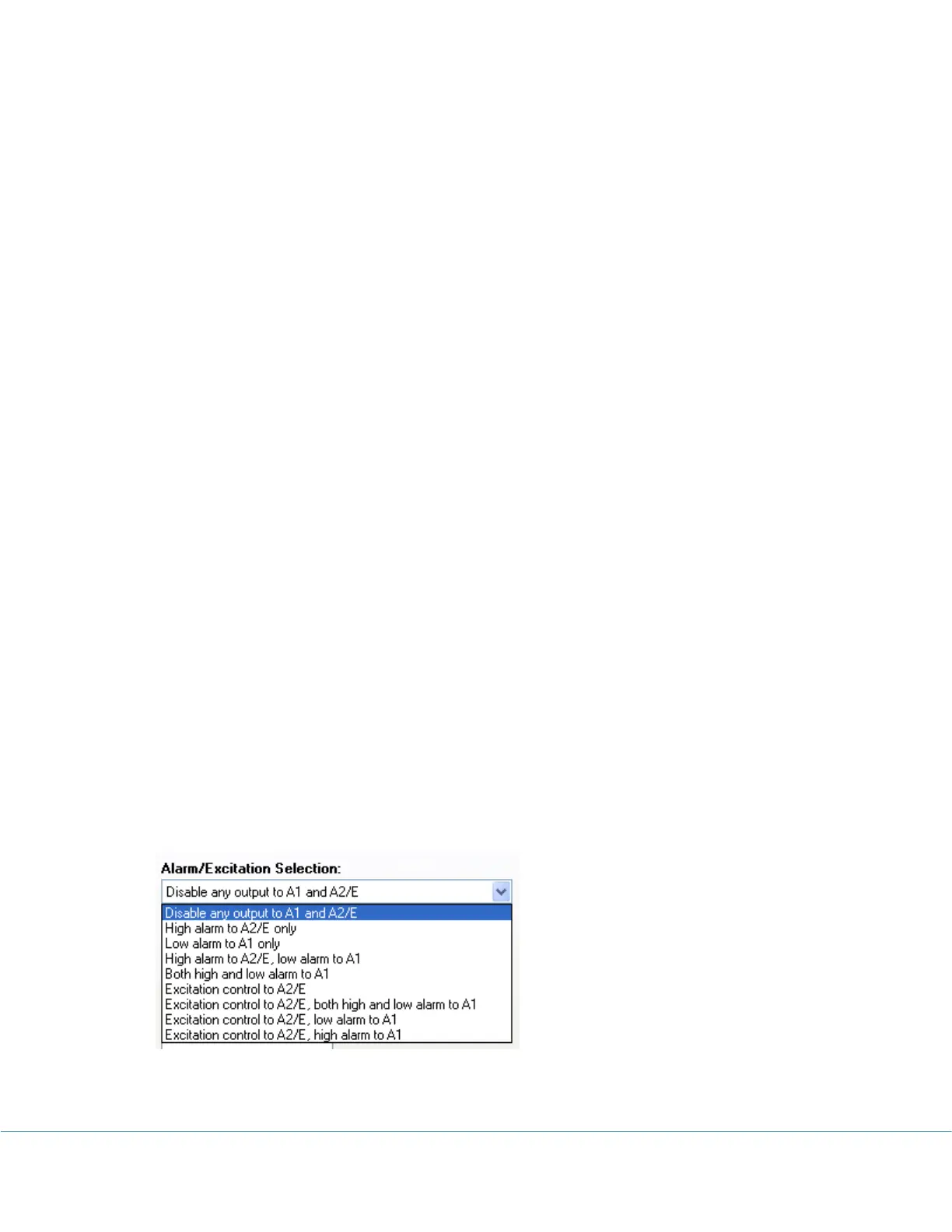
Alarm/Excitation Selection
This field specifies how Alarm1 and A2/E terminals are being controlled by alarm state
and/or excitation settings. Available settings are:
Alarm-On Delay
This filed specifies a time delay before sending out alarm notification if there is an alarm.



 To Next Page