Accsense VersaLog Data Loggers User’s Manual Page 58
Note: clicking on OK or Apply buttons will erase all existing measurements saved in the
logger.
For a detailed description of each available setting please refer to the Accsense VersaLog
User’s Manual available for download online.
Download Logger
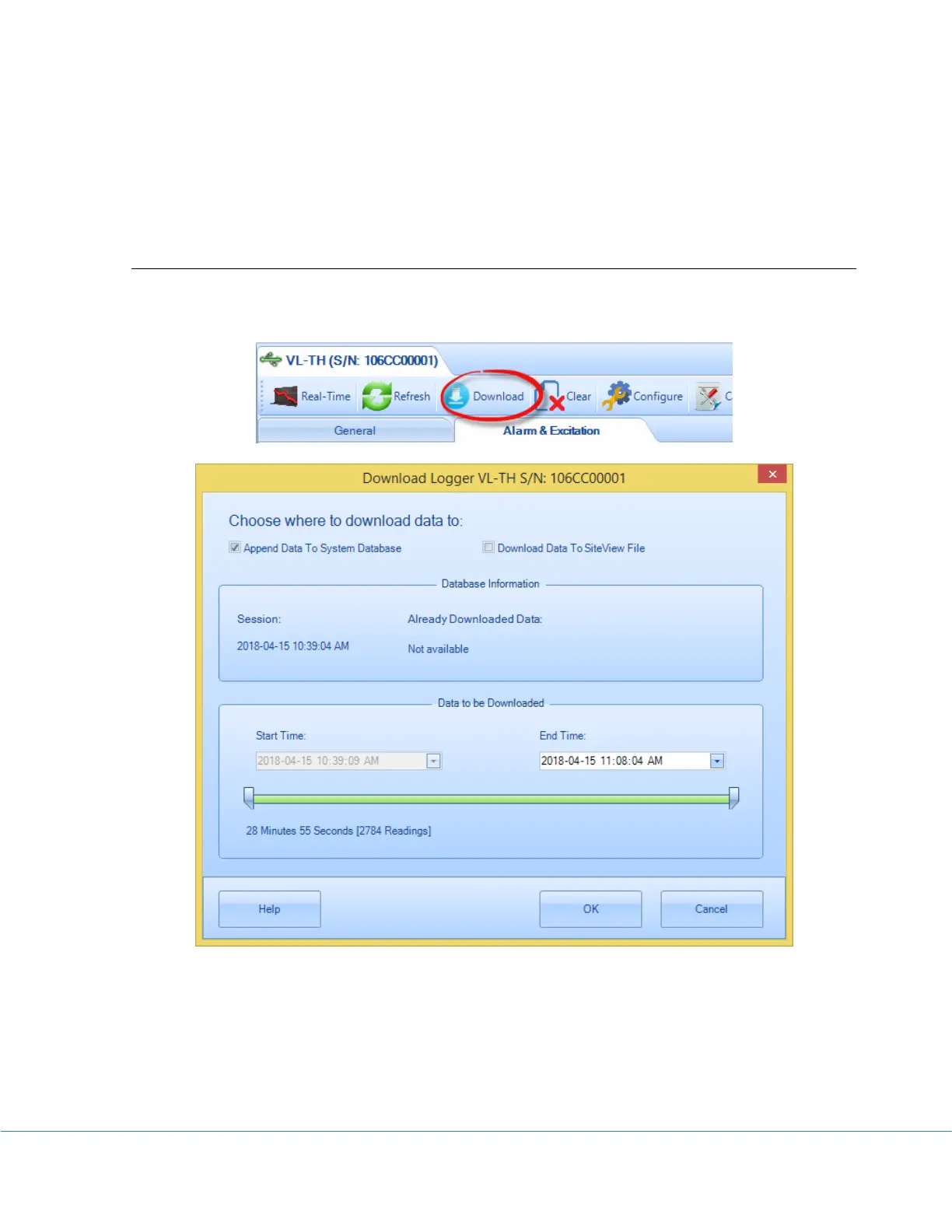
If you are already in logger status tab, clicking on “Download” button will bring up Download
dialog window:
Started from Site View 3, data can be downloaded to the system database. Each data logger has
a life-time database file associated to it. If you choose to “Append Data to System Database”
you can specify End Time and start to download the data.
If you choose to download data to a separate Site View file, the user interface looks like:



 To Next Page