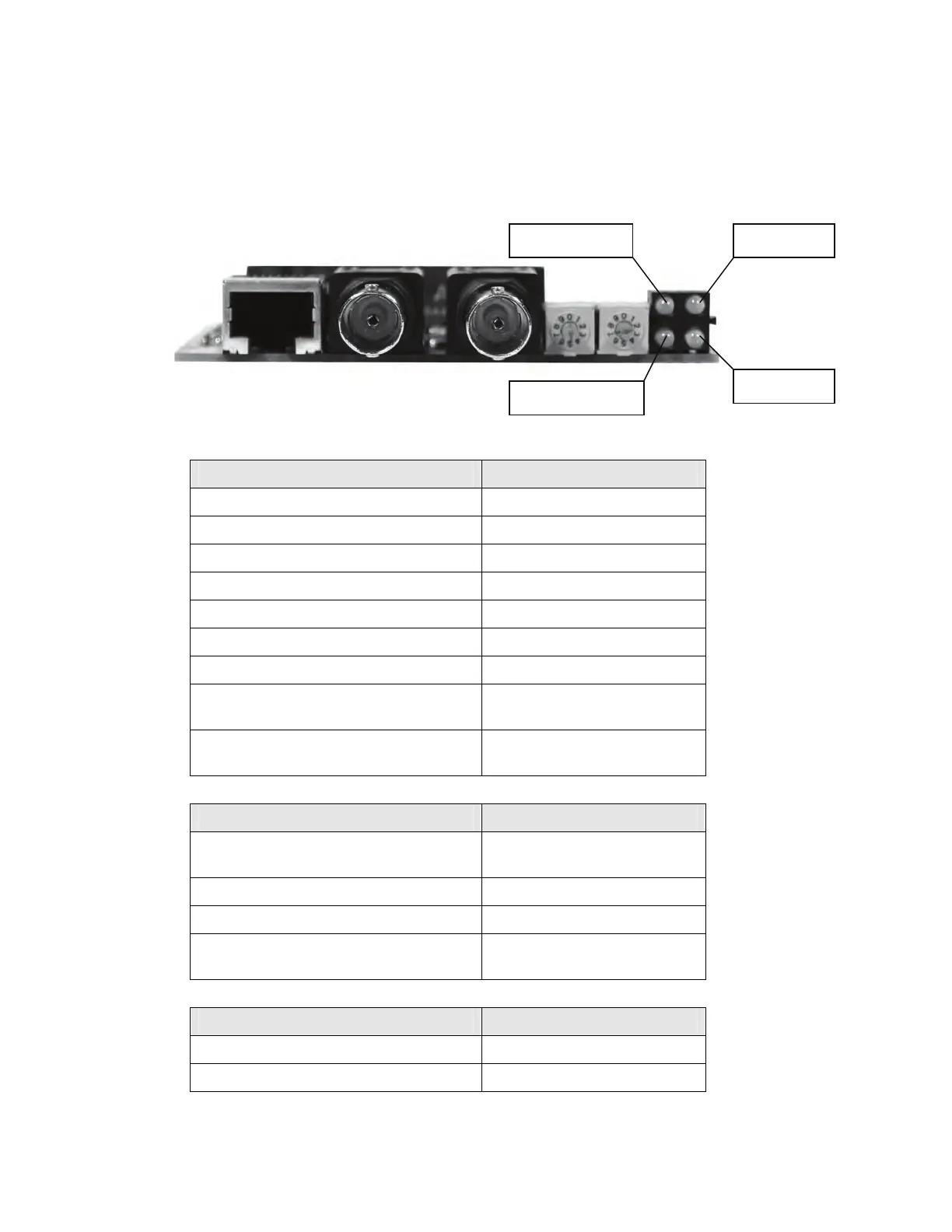
The module is equipped with four status LEDs mounted at the front of the card. The function of
the LEDs is described in the figure and tables below. Of the four status LEDs, two of them
indicate module status, and the other two indicate channel status.
Module status Channel A
Channel LEDs Description
A and B – steady off Module is not initialized
A and B – steady red Unrecoverable fault
A and B – alternating red/green Self-test of bus controller
A and B – flashing red/off Incorrect node configuration
A or B – steady off Channel is disabled
A or B – steady green Normal operation of channel
A or B – flashing green/off Temporary error
A or B – flashing red/off Media fault or no other nodes
on network
A or B – alternating red/green Incorrect network
configuration
Module Status LED Description
Flashing green Module is waiting for
initialization
Steady green Module is initialized
Flashing red Minor fault
Steady red Major fault, module must be
restarted
Module Owned LED Description
Steady green Connection is opened
Off No connection is opened
Channel B
Module owned
Fieldbus Interface
124
Artisan Technology Group - Quality Instrumentation ... Guaranteed | (888) 88-SOURCE | www.artisantg.com



 To Next Page