Printing (Data Output)
1. Turn on the POWER switch.
2. Press Menu key to set I/O to Print on page <menu> 1/2.
3. Press Set key. Then <Print> screen is displayed.
4. Select the data you want to be printed out.
Selecting List will print the data in listing form as usual.
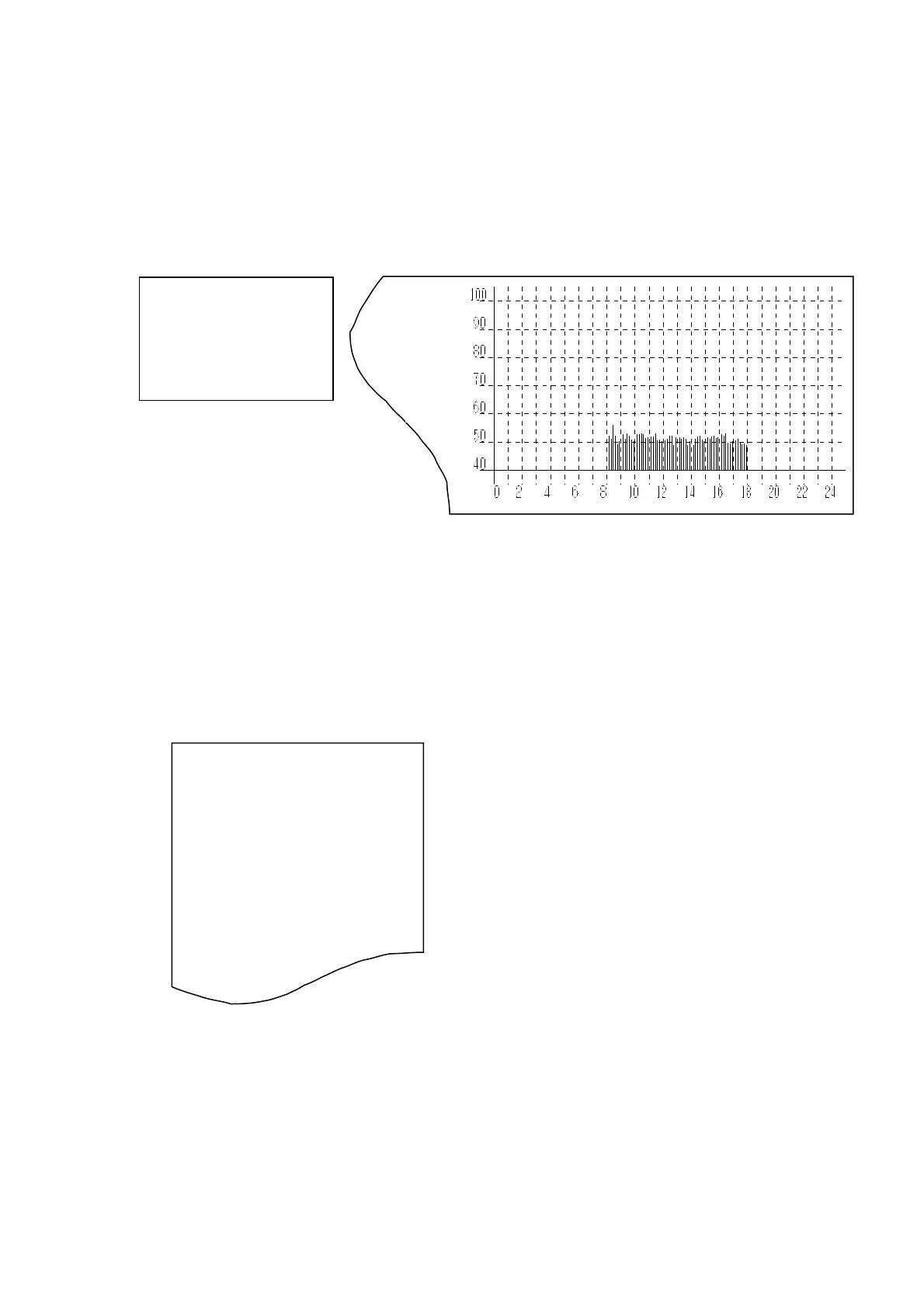
If you select other than List, that selected data is printed out in graphic form as follows:
<Print> screen
Graphic Form Printout (Leq is selected in this example )
You can stop printing by pressing Stop key.
It calculates sampling data every 10 minutes, so six data per hour should be output.
The graph is printed out from 24:00 to 0:00 in direction. If the data is of more than a day, it
continues printing over the days.
When you select List, following is output:
Listing Form Printout
Starting date, Time, Ch display and Range
Measurement time
Data
”
”
”
”
The ni
ne data of every 10 minutes measurement is printed out in sequence.
When you have stopped measurement by pressing Stop key, the data might be printed as ***(It
shows shortage of data for calculating).
X Lv
List L05
Leq L10
L50
Lmix L90
Lmax L95
ION
LEVEL
XLva
Leaq
04/06/11
VIBRATION Level
04/06/11 11:10:15 X 90dB
000h00m00s
Lveq:066.5 Lv05:043.9
Lv10:039.4
Lv50:031.8
LMin:022.6 Lv90:026.5
LMax:090.0 Lv95:025.6



 To Next Page