5-40 WORKING WITH THE CONTROL UNIT
SB1391 Hardware and Setup Guide - Document revision no. 1.14
Action Effect of action
1. Select 8. Position loop
adjustment and click Step.
The Position loop adjustment dialog box and the
ACScope window open (FIGURE 5-39).
2.
First set the motion parameters
for the position loop adjustment.
To do so, click Motion.
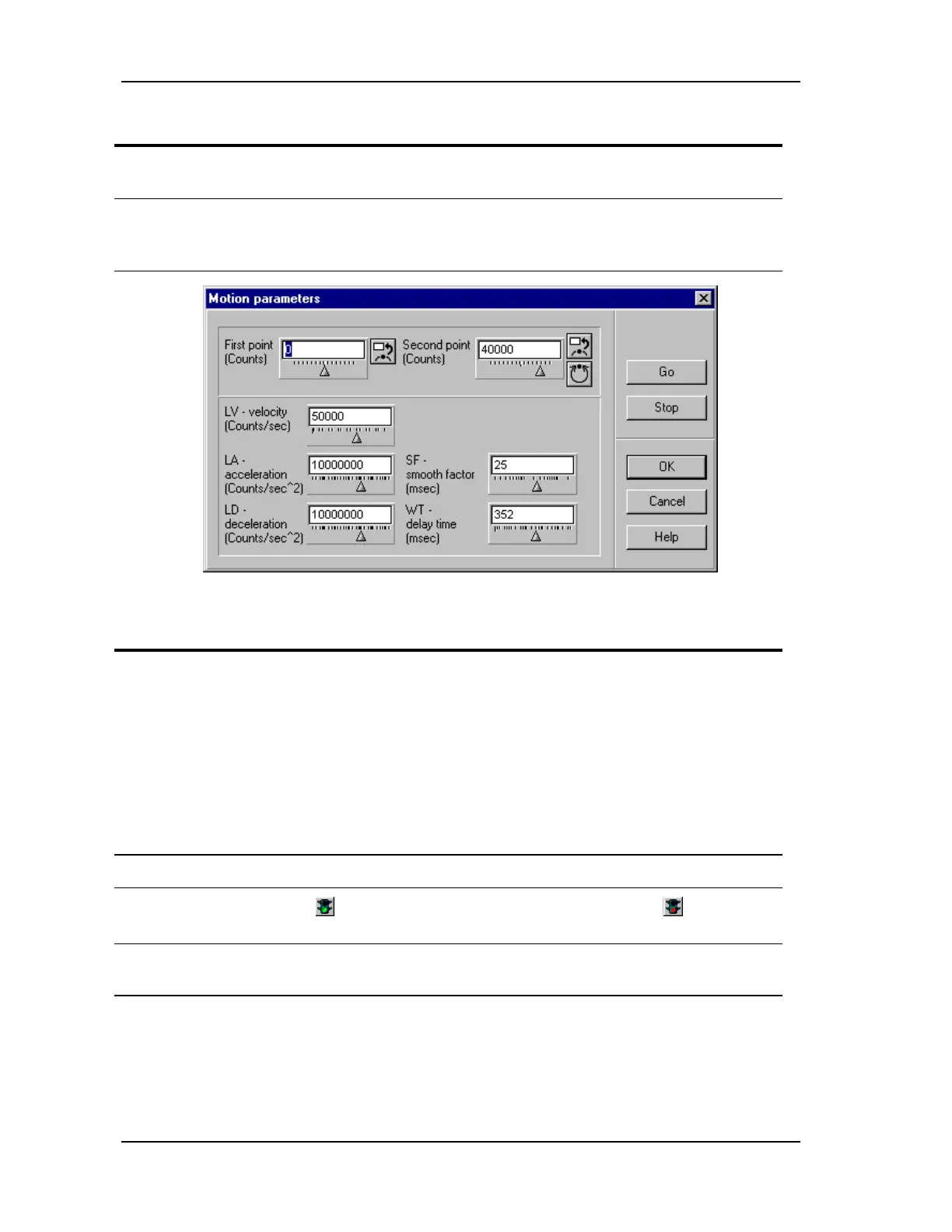
The Motion parameters dialog box opens (FIGURE
5-40).
FIGURE 5-40 Motion parameters (for position loop)
Action Effect of action
3.
Set the Velocity (LV),
Acceleration (LA), and
Deceleration (LD) to 50% of the
maximums required for the
motion control application.
Make the distance between the
first and second point large
enough that the motor will reach
the constant velocity region.
4.
Click OK. The Motion parameters dialog box closes.
5.
Click the Start button (green
light) in the ACScope window.
The button function changes to Stop (red light).
The soft oscilloscope is now active.
6. Click Go in the Position loop
adjustment dialog box.
A waveform of the position response appears in the
ACScope window.



 To Next Page